30 ChatGPT Prompts to Skyrocket AI Productivity
Unlock hours of free time with these 30 essential ChatGPT prompts. Master AI productivity and streamline your workflow today with our expert guide.
DIPJYOTI SHARMA
2/11/20266 min read
30 ChatGPT Prompts That Save Hours of Work
In today’s digital economy, time is the only non-renewable asset. Most professionals don’t lack intelligence or ambition — they lack cognitive bandwidth. Administrative noise, fragmented communication, and repetitive micro-tasks quietly consume the majority of the workday.
This is where AI productivity stops being a trend and becomes infrastructure.
Over the past year, I have systematically tested hundreds of structured interactions with Large Language Models (LLMs) to determine which prompts consistently deliver measurable time savings. The conclusion is simple:
ChatGPT is not magic. It is leverage.
And leverage depends entirely on input quality.
Below is a curated collection of 30 high-impact prompts designed to eliminate friction across communication, content creation, research, coding, and personal organization.
Use them as templates. Modify them to fit your workflow. Treat them as modular systems rather than static scripts.
SECTION 1: Elevating Professional Communication
The average professional spends roughly 25–30% of their week on email. Most of that time is low-value interpretation, rewriting, and tone adjustment.
These prompts reclaim that time.
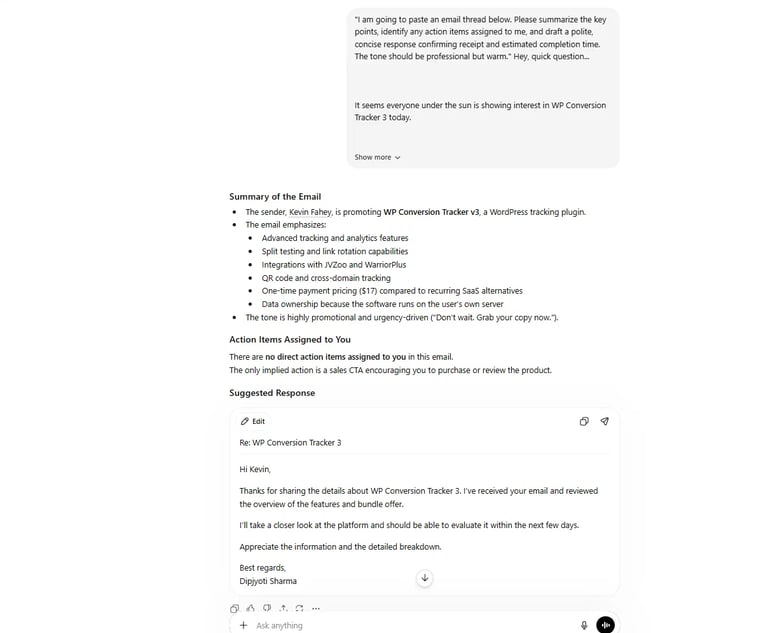
1. The Email Triage Assistant
Prompt:
"I am going to paste an email thread below. Please summarize the key points, identify any action items assigned to me, and draft a polite, concise response confirming receipt and estimated completion time. The tone should be professional but warm."
Why it works:
It forces the AI to parse context, isolate deliverables, and generate closure — eliminating re-reading loops.
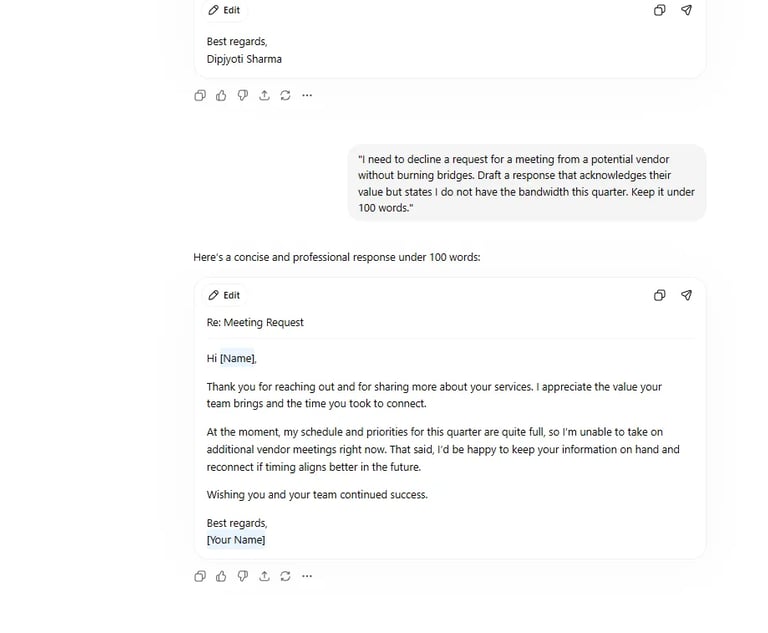
2. The Difficult Negotiation
Prompt:
"I need to decline a request for a meeting from a potential vendor without burning bridges. Draft a response that acknowledges their value but states I do not have the bandwidth this quarter. Keep it under 100 words."
3. The Stakeholder Update
Prompt:
"Convert the following bullet points of project updates into a formal executive summary email suitable for C-level leadership. Focus on ROI and milestones achieved."
4. Tone Calibration
Prompt:
"Rewrite the following email draft to sound more empathetic and collaborative. Currently, it sounds too abrupt. [Insert Draft]."
5. The Cold Outreach Specialist
Prompt:
"Create 3 variations of a cold outreach email to a prospective client in the [Industry] sector. Focus the value proposition on [Specific Pain Point]. Use the AIDA (Attention, Interest, Desire, Action) framework."
SECTION 2: Content Creation and Strategy
Writer’s block is rarely a creativity problem — it is a structural problem.
AI can eliminate blank-page paralysis and shift your role from creator to editor.
6. The Blog Post Architect
Prompt:
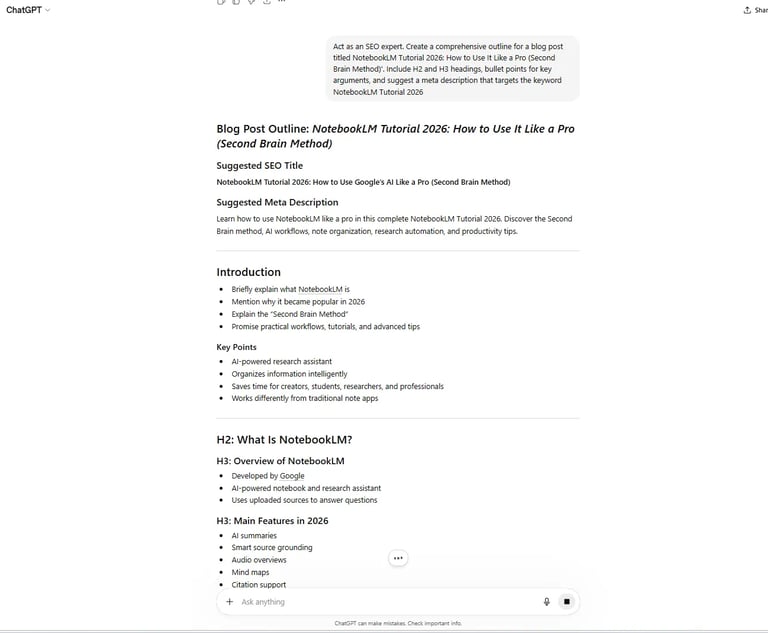
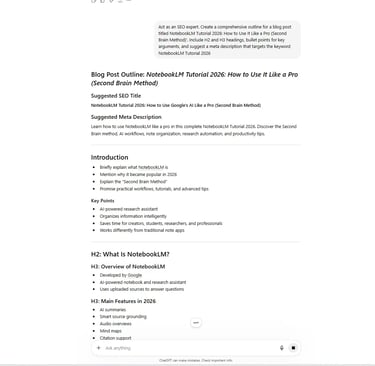
"Act as an SEO expert. Create a comprehensive outline for a blog post titled '[Title]'. Include H2 and H3 headings, bullet points for key arguments, and suggest a meta description that targets the keyword '[Keyword]'."
7. The Social Media Atomizer
Prompt:
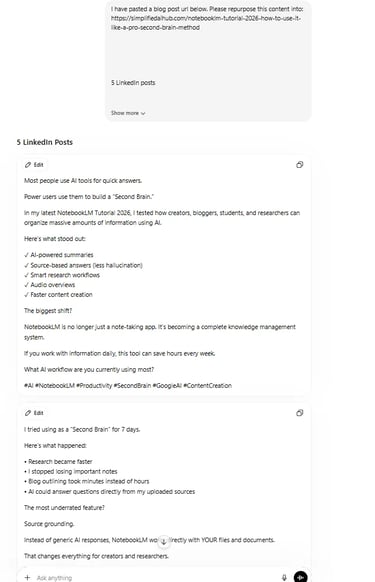
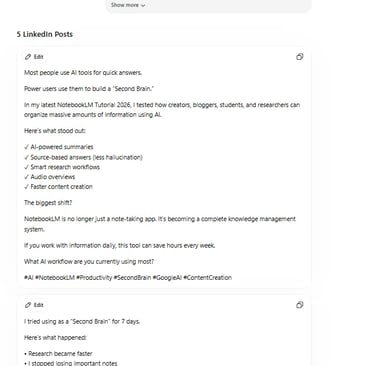
"I have pasted a blog post below. Please repurpose this content into:
5 LinkedIn posts
3 Twitter threads
A script for a 60-second Instagram Reel
Ensure tone varies from educational to conversational."
8. The Analogy Generator
Prompt:
"I am trying to explain the concept of [Complex Topic] to a non-technical audience. Provide 3 metaphors or analogies that simplify this concept without losing accuracy."
Why it works:
It bridges expert knowledge and beginner comprehension — essential for teaching AI to new users.
9. The Devil’s Advocate
Prompt:
"I am arguing that [Point of View]. Critique this argument. Identify logical fallacies and counterarguments a skeptic would raise. Help me strengthen my position."
10. The Title Optimizer
Prompt:
"Generate 10 high-CTR headlines for an article about [Topic]. Use numbers, strong adjectives, and curiosity gaps."
11. The Viral Hook Creator
Prompt:
"Write 5 opening hooks for a video script about [Topic] that would stop someone from scrolling within the first 3 seconds."
SECTION 3: Data Analysis and Research
AI productivity compounds when it compresses information faster than you can manually interpret it.
12. The Dataset Synthesizer
Prompt:
"I am pasting raw customer feedback below. Categorize comments into positive, neutral, and negative sentiment. Identify the top 3 recurring themes."
13. The Market Research Assistant
Prompt:
"Conduct a SWOT analysis for [Company/Product] based on current market trends in [Year]."
14. The 80/20 Learner
Prompt:
"I want to learn about [Subject]. Detail the 20% of concepts that provide 80% of understanding. Create a structured study plan."
15. The Jargon Buster
Prompt:
"Explain the following technical paragraph in simple English suitable for a high school student. [Insert Text]."
16. The Book Distiller
Prompt:
"Summarize key takeaways from '[Book Title]' by [Author]. List actionable steps I can apply immediately."
17. The Trend Spotter
Prompt:
"Based on knowledge up to your cutoff date, identify emerging trends in [Industry]. Specify potential impacts on small businesses."
SECTION 4: Coding and Technical Automation
You do not need to be a software engineer to benefit from automation. You only need precise instructions.
18. The Excel Formula Wizard
Prompt:
"I have a spreadsheet where Column A is Dates and Column B is Sales. Write an Excel formula to calculate total sales for November only."
19. The Regex Generator
Prompt:
"Write a Regular Expression (Regex) to extract all email addresses from a block of text. Explain how the pattern works."
20. The Code Debugger
Prompt:
"The following Python code is returning an error. Identify the bug, explain why it occurs, and provide the corrected code. [Insert Code]."
21. The HTML/CSS Polisher
Prompt:
"Write HTML and CSS for a responsive Call-to-Action button that turns blue on hover. The design should look modern and minimal."
22. The SQL Query Builder
Prompt:
"Write a SQL query selecting all users from the 'Users' table who signed up in 2023 and purchased more than 5 items."
23. The Script Writer
Prompt:
"Write a Google Apps Script that automatically saves email attachments labeled 'Invoice' to a designated Google Drive folder."
SECTION 5: Personal Organization and Strategy
AI productivity extends beyond work. High-performing professionals optimize decision-making, planning, and mental clarity.
24. The Decision Matrix
Prompt:
"I am deciding between [Option A] and [Option B]. Create a weighted decision matrix considering cost, time, long-term value, and risk. Ask clarifying questions if necessary."
25. The Meeting Agenda Setter
Prompt:
"Create a structured 30-minute kickoff meeting agenda for a new client. Include time allocations and defined outcomes."
26. The Interview Simulator
Prompt:
"I am interviewing for [Role]. Act as the hiring manager and ask 5 challenging behavioral questions. After I respond, critique my answers."
27. The Goal Reverse-Engineer
Prompt:
"My goal is to [Goal] within 6 months. Create a week-by-week roadmap with measurable milestones and recovery buffers."
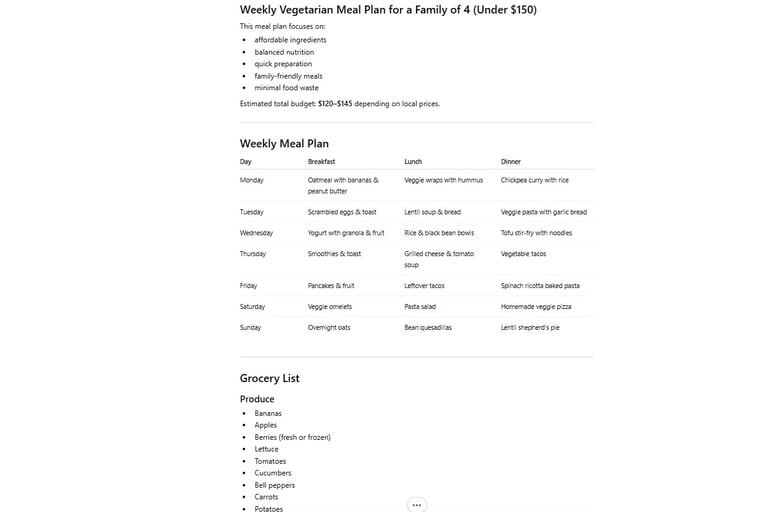
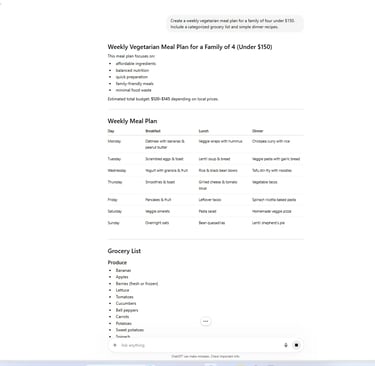
28. The Meal Planner
Prompt:
"Create a weekly vegetarian meal plan for a family of four under $150. Include a categorized grocery list and simple dinner recipes."
29. The Travel Itinerary Builder
Prompt:
"Plan a 3-day business trip itinerary for [City]. Include efficient transportation options between the financial district and airport, and recommend 3 quiet venues for professional meetings."
30. The Cognitive Reframing Tool
Prompt:
"I am feeling overwhelmed by [Situation]. Reframe this situation using Stoic philosophy. Separate what I can control from what I cannot."
Conclusion: Productivity is Now Prompt-Based
The future of work will not be defined by who works longer.
It will be defined by who thinks more clearly and delegates more intelligently.
These 30 prompts are not shortcuts. They are cognitive multipliers.
When you integrate structured prompting into your workflow:
You eliminate repetitive friction
You compress research time
You improve communication quality
You make better decisions
The competitive advantage is no longer effort alone.
It is orchestration.
Treat AI not as a chatbot — but as a co-processor.
Frequently Asked Questions
What are the best ChatGPT prompts for productivity?
Prompts related to summarization, workflow organization, content repurposing, and automation are among the most effective.
Can ChatGPT automate daily work?
Yes. ChatGPT can automate:
writing
planning
research
summarization
brainstorming
customer communication
Are these prompts beginner-friendly?
Absolutely. Most prompts can be used immediately without technical skills.
How do professionals use ChatGPT in 2026?
Professionals use AI for:
productivity systems
content marketing
research
automation
business operations
Can ChatGPT help with SEO?
Yes. It can assist with:
keyword research
outlines
meta descriptions
content optimization
internal linking
Is prompt engineering a valuable skill?
Very much so. Prompt engineering is becoming a critical productivity skill across industries.