AI Pose AI Review 2026: Best AI Pose Generator for Viral Images & Videos
I tested AI Pose AI for 7 days. Discover how this AI pose generator creates viral images, boosts CTR, and helps you earn with content creation.
AI TOOLS
Dipjyoti Sharma
4/26/20265 min read
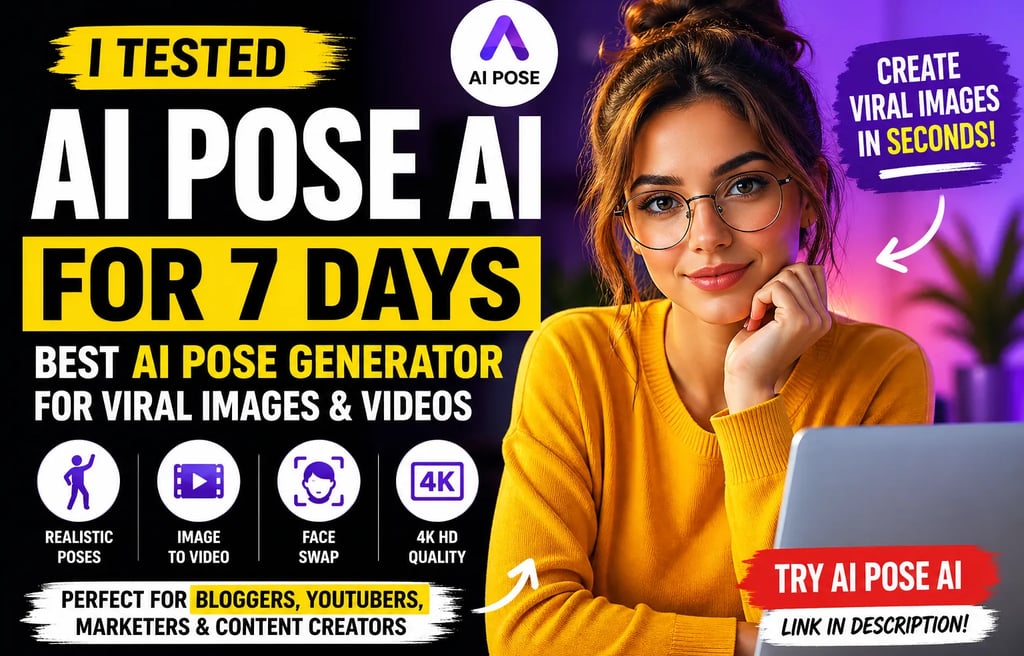
AI Pose AI Review 2026: Can This AI Portrait Generator Replace Expensive Photoshoots?
Updated May 2026
Most people hate being in front of a camera.
Professional photoshoots are expensive. Good headshots take hours. Social media creators constantly need fresh content. And editing photos manually is frustrating for beginners.
That’s exactly why AI portrait generators are exploding right now.
But most AI image apps still suffer from the same problems:
fake-looking faces
distorted hands
unrealistic lighting
poor consistency
weak customization
Then I tested Pose AI.
And honestly?
This platform feels far more advanced than many AI portrait tools currently flooding the market.
Instead of simply generating random AI selfies, Pose AI attempts to create a complete creator ecosystem for:
AI portraits
AI headshots
AI videos
poster generation
influencer content
social media visuals
The platform even includes AI video generation and poster creation tools inside the same dashboard.
That immediately makes it more ambitious than most AI photo apps.
So the real question becomes:
Is Pose AI genuinely one of the best AI portrait generators in 2026 — or just another polished AI image app with clever marketing?
After testing the dashboard, image studio, pricing system, and creator workflow tools, here’s my full review.
What Is Pose AI?
Pose AI is an AI-powered creative platform focused on generating:
AI portraits
professional headshots
AI influencers
AI posters
AI videos
social media visuals
The platform allows users to upload selfies or reference photos and transform them into studio-style AI-generated visuals.
Unlike many basic AI avatar generators, Pose AI appears designed for:
creators
influencers
YouTubers
freelancers
marketers
digital brands
The platform feels more like an AI content studio than a simple image generator.
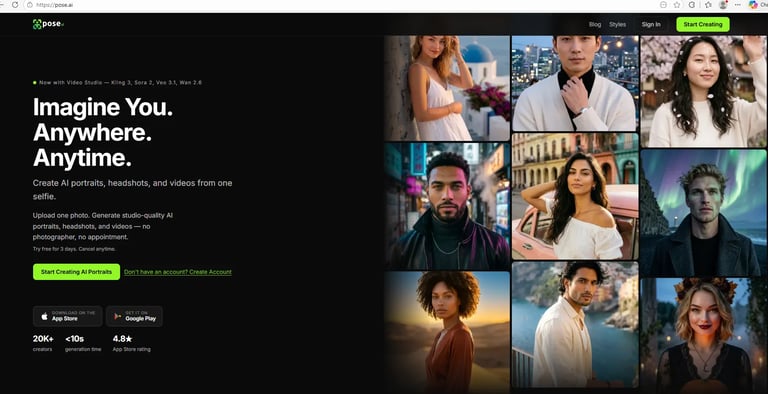
First Impression: The Homepage Looks Premium
The first thing I noticed was the branding.
Most AI photo tools look generic.
Pose AI immediately feels modern, creator-focused, and visually polished.
The homepage emphasizes:
AI portraits
cinematic visuals
realistic headshots
fast generation
multi-style content creation
The visual examples also look significantly better than many low-end AI portrait tools.
Pose AI homepage showing AI portrait generation and creator-focused interface.
Pose AI positions itself as an all-in-one AI portrait and creator platform rather than a simple avatar generator.
Registration Process
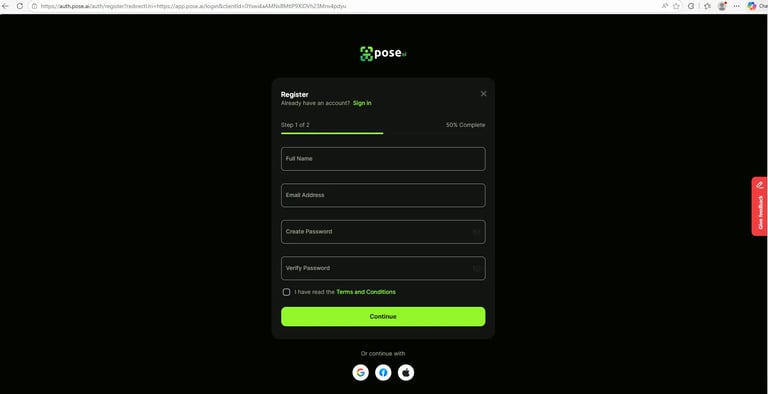
The registration experience is simple and beginner-friendly.
Users can sign up using:
Google
Facebook
Apple
email registration
The interface feels clean and modern with minimal friction.
That’s important because many AI apps lose users during complicated onboarding.
Pose AI registration page with clean onboarding interface.
The Pose AI signup process is streamlined and beginner-friendly.
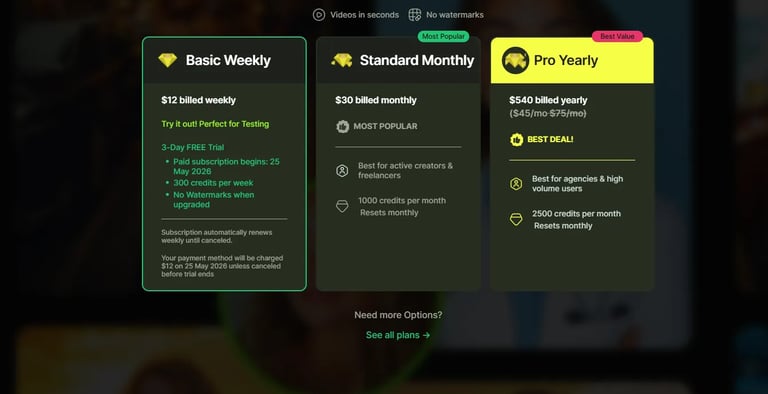
Pose AI Pricing Plans
Pose AI currently uses a subscription-based pricing model.
The platform offers:
weekly testing plans
monthly creator plans
yearly professional plans
This pricing structure makes far more sense than many AI tools charging massive upfront fees.
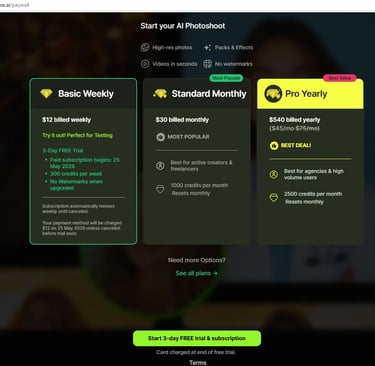
Pose AI pricing plans including weekly, monthly, and yearly creator subscriptions.
Pose AI offers flexible creator-focused pricing plans for different usage levels.
Core Features of Pose AI
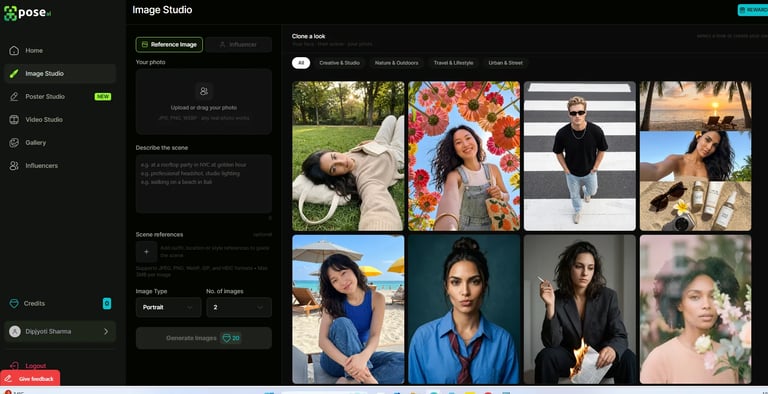
1. AI Image Studio
The Image Studio is one of the strongest parts of the platform.
Users can:
upload selfies
describe scenes
select styles
generate portraits
customize outputs
The interface feels surprisingly polished.
Instead of random prompt chaos, Pose AI organizes the workflow clearly.
Users can generate:
studio portraits
outdoor photography
cinematic shots
influencer-style visuals
lifestyle images
The scene customization system is especially useful.
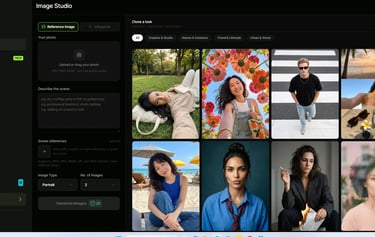
Pose AI Image Studio dashboard showing AI portrait generation workflow.
Pose AI’s Image Studio allows users to generate highly customized AI portraits using reference photos and scene prompts.
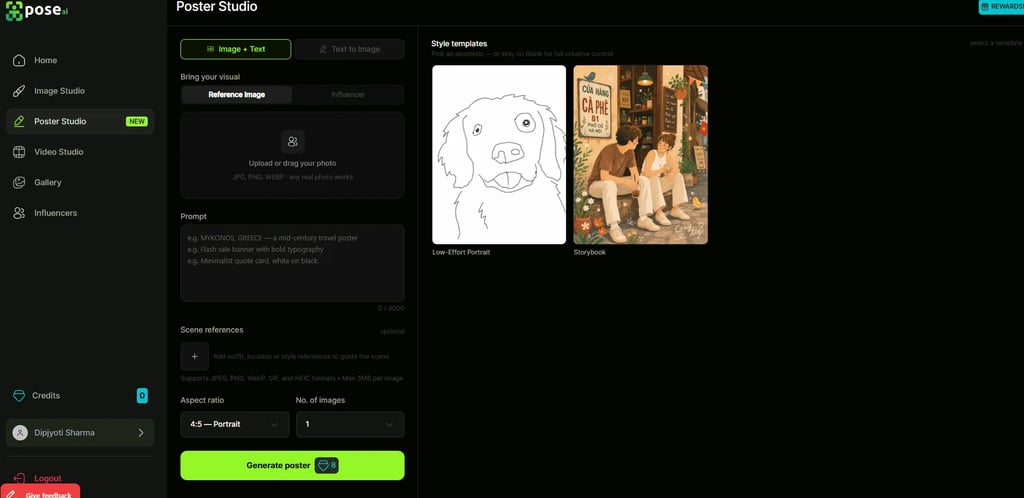
2. AI Poster Studio
This feature surprised me.
Most AI portrait apps only generate selfies.
Pose AI also includes a Poster Studio for:
promotional graphics
social media posters
aesthetic visuals
branded content
stylized artwork
This expands the platform beyond simple portrait generation.
That makes it more useful for creators and marketers.
Pose AI Poster Studio interface for AI-generated posters and marketing visuals.
The built-in Poster Studio adds additional value for creators and marketers needing AI-generated graphics.
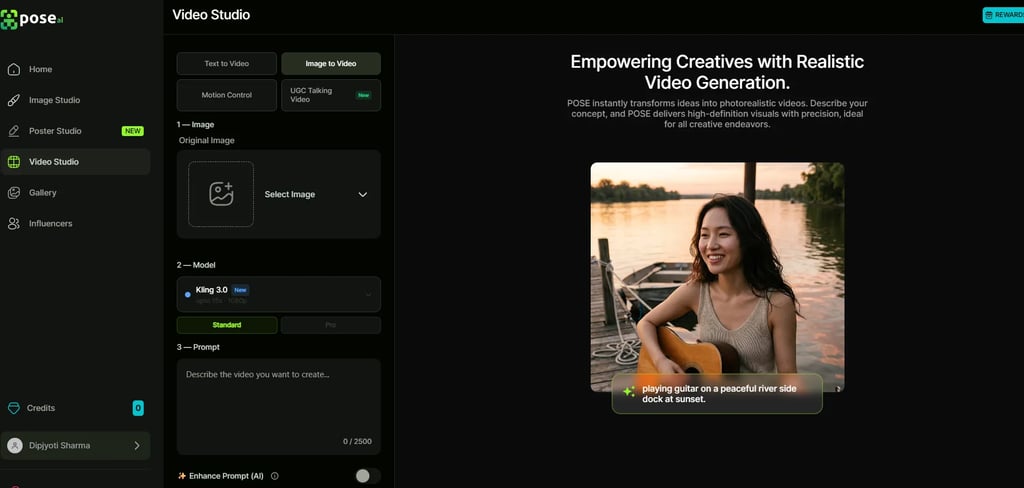
3. AI Video Studio
This is where Pose AI becomes much more ambitious.
The platform includes:
image-to-video generation
motion controls
AI-enhanced prompts
talking video generation
cinematic visual workflows
Many AI portrait tools stop at static images.
Pose AI attempts to expand into AI video creation as well.
That significantly increases the platform’s long-term potential.
Pose AI Video Studio showing AI image-to-video workflow system.
Pose AI includes AI-powered video generation tools alongside portrait creation features.
What Makes Pose AI Different?
Most AI portrait generators focus only on:
avatars
profile photos
headshots
Pose AI feels more like a creator operating system.
The platform combines:
portrait generation
video generation
poster creation
influencer workflows
social-media-ready visuals
That makes it much more versatile.
Instead of generating one image and leaving the platform, users can potentially build entire creator workflows inside the same ecosystem.
AI Pose AI vs Midjourney
Many users will compare Pose AI to tools like Midjourney.
But the two platforms serve different audiences.
Pose AI focuses heavily on:
usability
realistic portraits
creator branding
social-media-ready content
That makes it more accessible for casual creators.
Internal Resources You May Also Like
If you enjoy AI creator tools and productivity platforms, these guides may help:
Pros and Cons
Pros
Excellent interface design
Realistic portrait examples
Beginner-friendly workflow
Includes video generation
Poster Studio adds extra value
Creator-focused ecosystem
Flexible pricing structure
Cons
AI generations may still vary in quality
Heavy users may need higher plans
Some advanced creators may prefer Midjourney flexibility
Requires strong input photos for best results
Who Should Use Pose AI?
Best For
Content creators
YouTubers
Instagram creators
Influencers
Freelancers
Personal branding
Small businesses
Social media marketers
Not Ideal For
Advanced Photoshop professionals
Users needing complete manual artistic control
Traditional photographers
Enterprise design teams
Final Verdict: Is Pose AI Worth It?
Pose AI is one of the more impressive AI portrait platforms I’ve tested recently.
The platform feels polished, modern, and clearly designed for creators rather than AI hobbyists.
The biggest strength is that Pose AI goes beyond simple AI selfies.
The combination of:
portraits
posters
video generation
creator workflows
makes the platform feel much more complete than many competitors.
For creators who constantly need fresh visual content, Pose AI could become genuinely useful.
Especially for:
social media branding
thumbnails
AI headshots
influencer-style content
creator marketing
The platform still faces competition from larger AI image ecosystems, but its creator-focused approach gives it a strong niche.
Final Rating
FAQ
Is Pose AI legit?
Yes, based on the dashboard, creator tools, and workflow system, Pose AI appears to be a legitimate AI creative platform.
Is Pose AI beginner friendly?
Yes. The interface is clean, modern, and easy to navigate even for non-technical users.
Does Pose AI create videos?
Yes. The platform includes AI video generation tools alongside portrait and poster generation features.
Is Pose AI better than Midjourney?
Pose AI is easier for beginners and more focused on realistic creator content, while Midjourney offers more artistic flexibility for advanced users.
Who should use Pose AI?
Pose AI is best suited for creators, influencers, marketers, freelancers, and users needing fast AI-generated visual content.