
AI for Beginners at Work: Simple Ways to Use AI and Save Time Daily (2026 Guide)
Learn simple ways to use AI at work. Beginner-friendly tips to write emails, organize tasks, and save time using tools you already use.
,AI FOR BEGINNERSTECHNOLOGY & AIONLINE EARNING & AI TOOLS
DIPJYOTI SHARMA
2/14/20263 min read
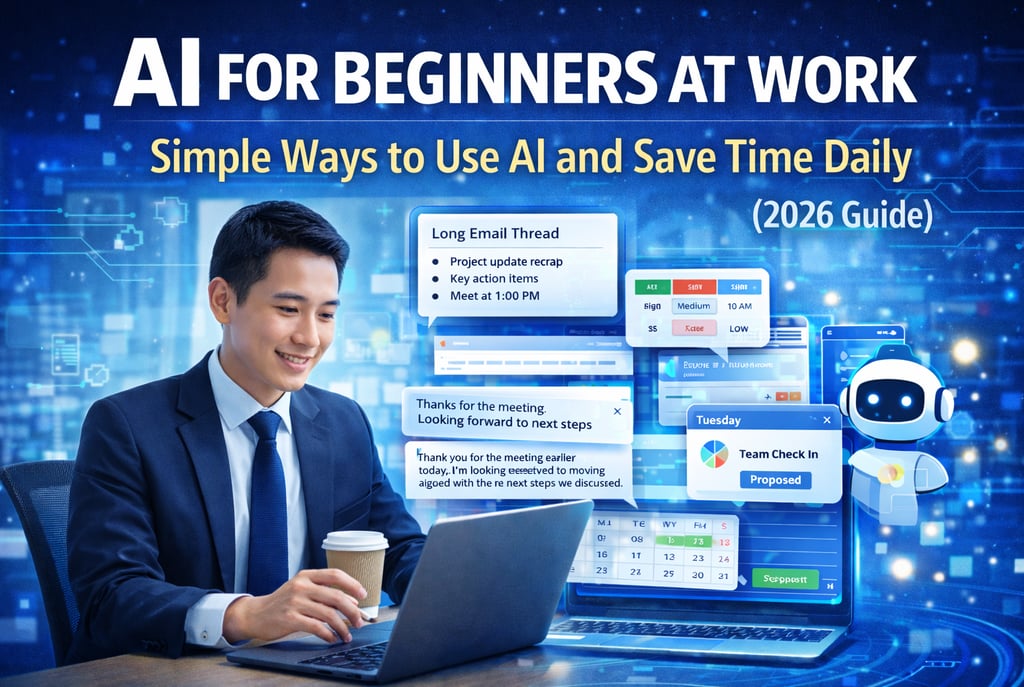

AI for Beginners at Work: Simple Ways to Use AI to Save Time Every Day
It’s easy to feel a little lost when coworkers talk about “using AI” to work faster. Maybe you’ve seen someone ask a chatbot to draft an email, or watched a spreadsheet fill in data automatically. Naturally, you wonder:
“Can I use AI like that too, or is it only for tech experts?”
The good news: you don’t need technical skills or a computer science degree to benefit from AI.
In fact, many of the most useful AI tools are already built into the apps you use at work every day. This guide shows simple, practical ways beginners can start using AI at work — without feeling overwhelmed.
What AI Looks Like in Everyday Work
Forget complex technology for a moment.
Think of AI as a helpful assistant that recognizes patterns — similar to how you learn the quickest route to the office after repeating it a few times.
The secret is simple:
Identify a repetitive task
Give a clear instruction
Let the tool suggest improvements
For example:
“Summarize this meeting.”
“Turn this into action points.”
“Rewrite this email professionally.”
Short, clear requests work best.
Start With Tools You Already Use
Most workplaces already include AI-powered features without calling attention to them.
You may notice:
Email rewrite suggestions
Smart calendar scheduling
Auto-filled spreadsheets
Quick document summaries
When you see a suggestion pop up, that’s AI helping you save time.
Accepting these small suggestions is the easiest way to begin.
Why AI Helps Beginners at Work
Many people hesitate because they think AI is complicated or risky.
In reality, starting small offers big advantages:
✔ No technical learning curve
✔ Builds confidence quickly
✔ Reduces repetitive work
✔ Helps you focus on creative thinking
Using AI doesn’t replace your skills — it removes small mental burdens.
Real-Life Workplace Examples
Summarizing Long Email Threads
Instead of reading a 20-message chain, click “Summarize” and get key points instantly.
What used to take 10 minutes now takes seconds.
Writing Better Client Emails
You type:
“Thanks for the meeting. Looking forward to next steps.”
The app suggests a polished, professional version — saving time while improving clarity.
Organizing Tasks in Spreadsheets
As you enter tasks, the sheet suggests priorities or categories automatically.
Your messy list becomes structured with minimal effort.
Quick Data Formatting
Need to convert date formats or clean text?
AI suggestions can reformat content instantly instead of manual edits.
Scheduling Team Meetings
Type:
“Team check-in every Tuesday at 10 AM.”
The calendar checks availability and sends invites automatically.
Common Beginner Mistakes (And How to Avoid Them)
Being Too Vague
Instead of:
“Make this better”
Try:
“Shorten this paragraph to two sentences.”
Specific instructions = better results.
Expecting Perfect Tone Automatically
If needed, add:
“Professional tone”
“Friendly style”
“Concise summary”
Not Reviewing Suggestions
Always treat AI output as a first draft. A quick review ensures accuracy.
Thinking AI Is Only for Tech People
These tools are designed for anyone who can type a sentence.
5 Easy Ways to Start Using AI Today
Try this simple beginner routine:
Pick one repetitive task you do daily
Look for suggestion or smart icons in your apps
Test one suggestion each day
Compare the result with your original version
Track how much time you save after a week
Small wins build momentum.
Beginner FAQ
Do I need training to use AI at work?
No. Most tools are designed to be intuitive and beginner-friendly.
Will AI understand my industry terms?
Usually yes. If not, add a short explanation or context.
What if AI makes mistakes?
Treat suggestions as drafts. Review before sending or publishing.
Will my manager think I’m cheating?
Using AI is similar to using spell-check or templates — it’s productivity improvement, not cheating.
Is my data safe?
Major platforms follow privacy standards. Avoid sharing sensitive or confidential information unless approved by your workplace policy.
Final Thoughts
You don’t need to be an expert to benefit from AI at work.
Start with one simple task. Accept a suggestion. See how much time it saves.
Over time, these small improvements add up — creating a smoother, more productive workday without extra effort.
The real skill isn’t technical knowledge. It’s learning when to delegate small tasks so you can focus on higher-value thinking.
Keep experimenting one step at a time — confidence grows fast when results are practical.
Related Guides You Should Read Next
If you want to go deeper into practical AI skills, these beginner-friendly guides will help you continue learning:
AI Tools That Small Businesses Can Use Right Now — The Ultimate Beginner’s Guide (2026)
Discover practical AI tools small businesses are using today to save time, automate tasks, and grow faster.Prompt Engineering — The Ultimate Guide to Writing Effective AI Prompts in 2026
Learn how to write clear, powerful prompts that produce better AI results — perfect for beginners and professionals.