How to Make and Publish an App for Free Using Lovable AI — Complete Beginner Guide (2026)
Learn how to make and publish an app for free using Lovable AI in 2026. Step-by-step beginner tutorial with screenshots, real case study, live proof, SEO tips, and no coding required.
AI PRODUCTIVITYAI TOOLS
6/2/20268 min read
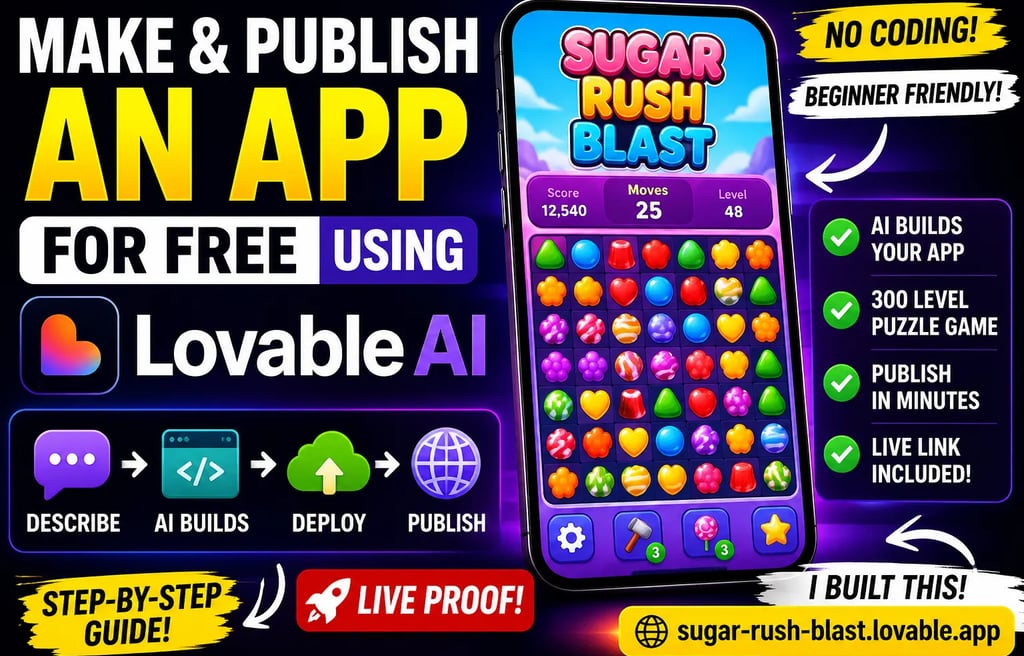
How to Make and Publish an App for Free Using Lovable AI — Complete Beginner Guide (2026)
Table of Contents
Why I Decided to Test Lovable AI
What Is Lovable AI?
Can You Really Build an App Without Coding?
My Challenge: Create a Candy-Style Game for Free
Step 1 — Starting My Lovable AI Project
Step 2 — Choosing the Right Build Strategy
Step 3 — Configuring Free Storage
Why MVP First Is the Smartest Beginner Approach
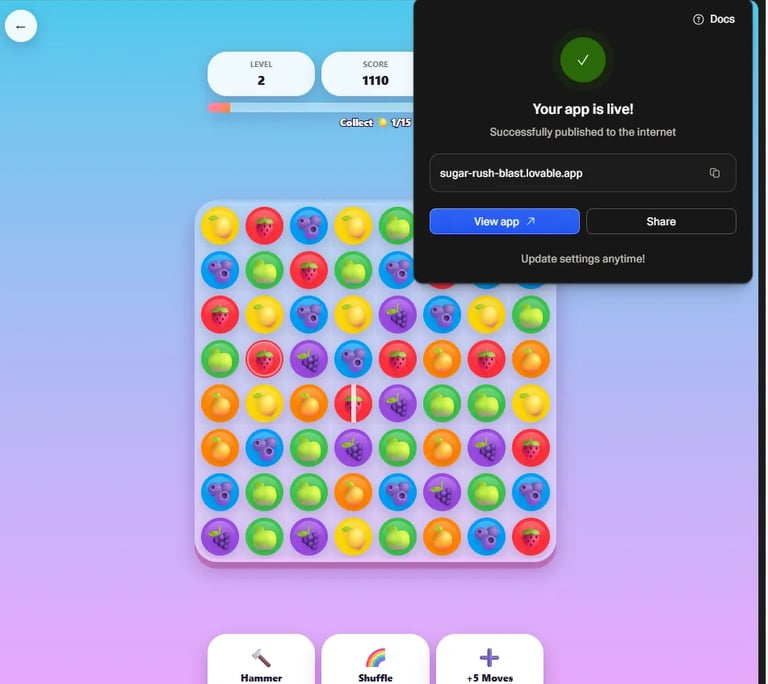
Live Proof of My Published App
Why I Decided to Test Lovable AI
Most AI app builder tutorials online make big promises.
They usually say:
“Build an app in minutes.”
“No coding required.”
“Publish instantly.”
But I wanted to test something harder.
Not a calculator app.
Not a to-do list.
Not a basic landing page.
I wanted to answer one real question:
Can a beginner actually build and publish an app for free using AI?
So I decided to run a personal experiment.
My challenge:
Create a Candy Crush-style puzzle app using AI.
Requirements:
✅ No coding.
✅ Beginner friendly.
✅ Free workflow.
✅ Publicly published result.
✅ Real proof.
Instead of theory, I wanted a working project.
What Is Lovable AI?
Lovable AI is a prompt-based AI app builder.
Instead of manually coding:
React components
navigation
layouts
storage logic
responsive interfaces
you describe what you want in natural language.
Example:
“Build a colorful mobile puzzle game with 300 levels, level progression, score system, and responsive design.”
The AI then generates:
application structure
pages
UI components
logic flow
data handling
deployment workflow
For creators, bloggers, entrepreneurs, and beginners, this lowers the barrier dramatically.
Can You Really Build an App Without Coding?
Short answer:
Yes — but there’s nuance.
AI app builders don't magically eliminate software development.
You still need:
clear prompts
testing
iteration
logical thinking
However, they can massively accelerate the process.
Before tools like Lovable AI, creating an app often required:
JavaScript
React
backend knowledge
deployment experience
debugging skills
Now, beginners can prototype much faster.
That’s exactly what I wanted to test.
My Challenge: Create a Candy-Style Game for Free
Instead of choosing an easy demo project, I selected something more ambitious.
A match-3 puzzle game.
Think:
colorful candies
scoring system
progression
multiple levels
mobile layout
interactive gameplay
My requirements included:
Gameplay Features
match-3 board
score counter
level map
progression system
mobile responsiveness
game-style interface
Technical Requirements
AI generated workflow
free deployment
no backend setup
beginner friendly configuration
Final project name:
Sugar Rush Blast
Live published proof:
https://sugar-rush-blast.lovable.app/
Unlike many AI tutorials, this guide is based on a real build experiment.
Step 1 — Starting My Lovable AI Project
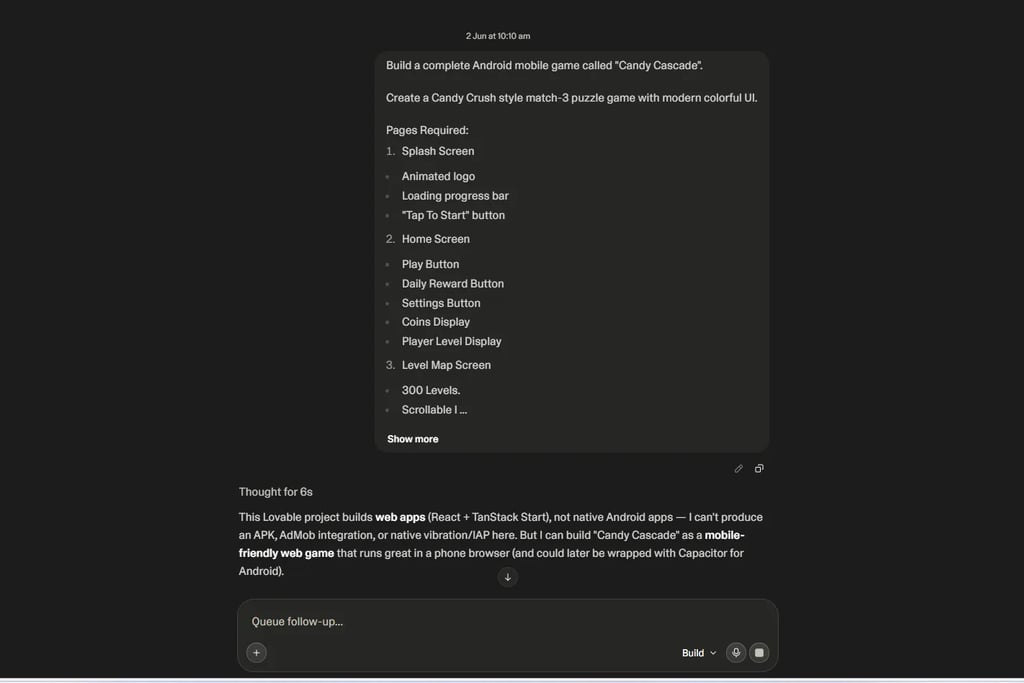
I opened Lovable AI and began creating the project.
My prompt focused on:
Candy-style puzzle gameplay
mobile-friendly design
scalable structure
clean UI generation
Rather than overwhelming the AI with dozens of unrelated requests, I kept the core idea clear.
This matters.
One lesson I learned quickly:
Better prompts produce better apps.
Starting the AI app creation process inside Lovable AI.
Step 2 — Choosing the Right Build Strategy
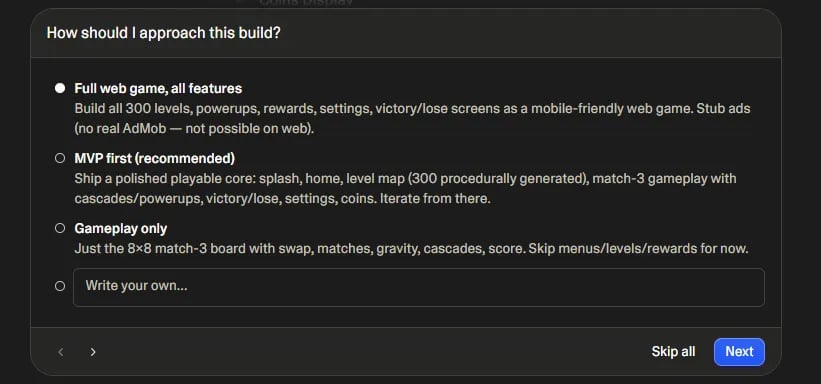
After entering the project request, Lovable asked how I wanted the application generated.
I selected:
MVP First (Recommended)
This was one of the smartest decisions in the entire workflow.
Many beginners make this mistake:
They try to generate the entire finished app immediately.
That often creates:
unstable outputs
bloated structure
confusing logic
harder debugging
Instead, the MVP workflow focuses on:
✅ core functionality
✅ stable structure
✅ fast testing
✅ iterative improvements
This is exactly how professional product teams often work.
Choosing the MVP build strategy inside Lovable AI.
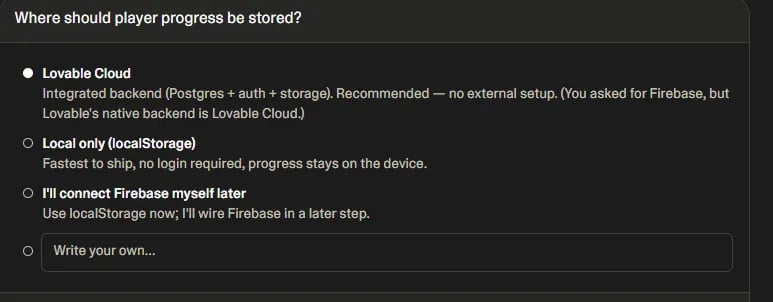
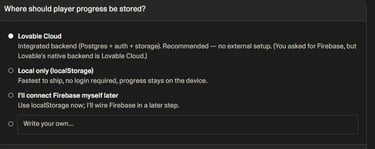
Step 3 — Configuring Free Storage
Next, Lovable asked an important question:
How should application data be stored?
Options included backend-style approaches and local storage workflows.
Because my goal was:
free + beginner friendly + no backend setup
I selected:
Local Only (localStorage)
This simplified everything.
No Firebase.
No authentication setup.
No cloud database configuration.
The app could still save:
player progress
unlocked levels
settings
score data
completion status
while remaining completely beginner friendly.
Setting up localStorage to keep the project simple and free.
Why MVP First Is the Smartest Beginner Approach
This deserves extra attention because it dramatically improved my results.
Large AI projects often fail because users ask for:
“Build everything at once.”
Better workflow:
MVP → Test → Improve → Publish
This approach helped me:
reduce complexity
isolate problems
validate gameplay faster
maintain cleaner outputs
If you're building your first AI app, I strongly recommend using this method.
Related AI Guides You May Like
Want to explore more AI tools?
Read these resources:
Claude AI Review 2026
https://simplifiedaihub.com/claude-ai-review-2026
Claude vs Grok AI Simulation 2026
https://simplifiedaihub.com/claude-vs-grok-ai-simulation-2026
Freed AI Review 2026
https://simplifiedaihub.com/freed-ai-review-2026
What Is AGI? Artificial General Intelligence Explained
https://simplifiedaihub.com/what-is-agi-artificial-general-intelligence-explained
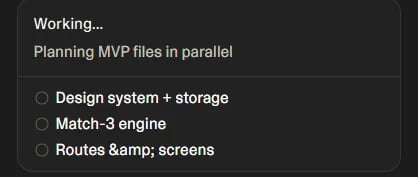
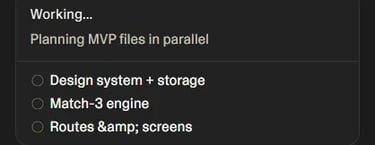
Step 4 — Letting Lovable AI Build the App
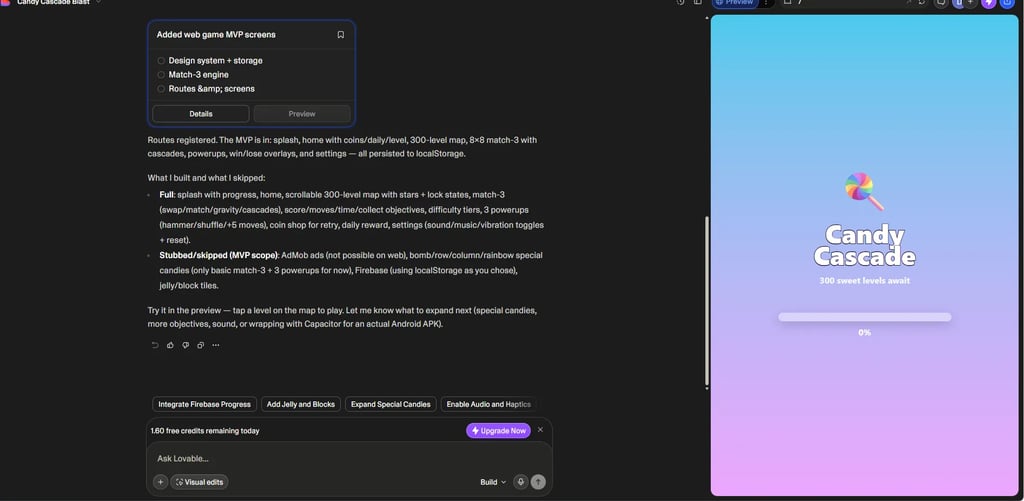
After choosing the setup options, Lovable AI began generating the application.
This was the moment where the project stopped being just an idea.
The AI started creating:
project architecture
design system
navigation flow
storage logic
gameplay components
responsive layouts
Watching this happen felt surprisingly close to having a development assistant building the foundation for me.
Instead of manually configuring React files, routing, or frontend structure, the system handled much of the heavy lifting.
For beginners, this is where the value of AI app builders becomes obvious.
Lovable AI generating the project structure and application logic.
Step 5 — Building the Match-3 Game Engine
This was the most challenging part of the experiment.
Creating a Candy-style puzzle game isn't the same as building a simple blog or portfolio site.
I needed gameplay mechanics.
My requested features included:
Core Gameplay Requirements
✅ Match-3 board
✅ Candy swapping
✅ Score tracking
✅ Grid system
✅ Interactive gameplay
✅ Mobile responsiveness
The interesting part?
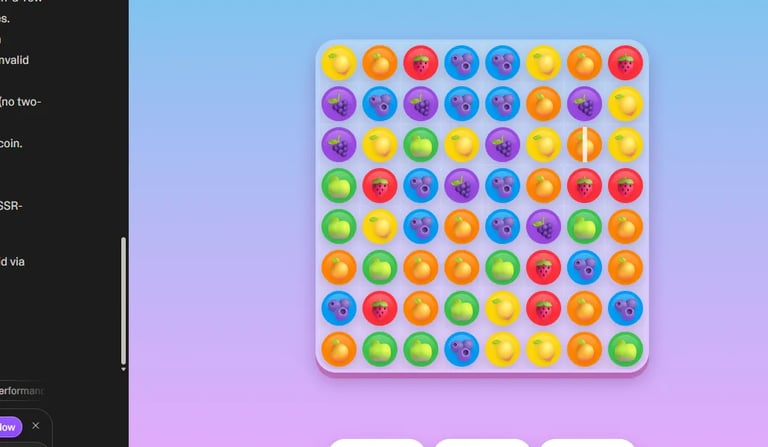
Lovable AI actually generated a playable foundation.
That doesn’t mean the app instantly became a polished AAA mobile game.
But it successfully created:
game board layout
visual structure
gameplay screen
interactive UI flow
Which is impressive for a beginner workflow.
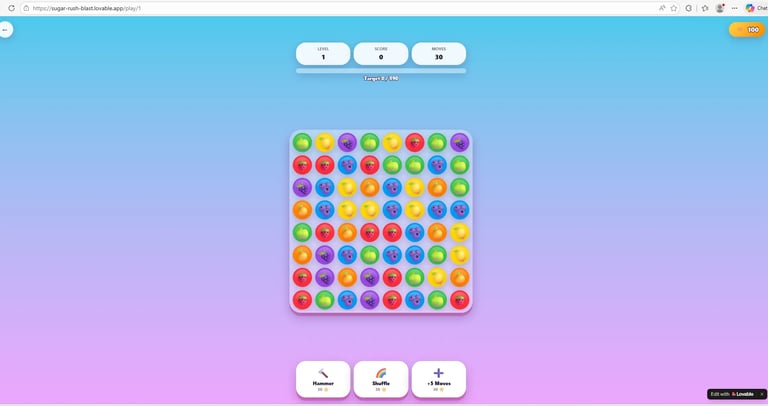
The first playable version of the AI-generated puzzle game.
Step 6 — Creating a 300-Level Structure
One of my goals was scalability.
I didn't want a single demo level.
I wanted something closer to a real game architecture.
Target:
300 Levels
The generated project included:
level progression
difficulty labeling
locked levels
progression flow
star tracking system
This made the project feel much more like a genuine mobile puzzle app.
For a no-code workflow, that was a strong result.
The generated multi-level game progression system.
Step 7 — Testing the Gameplay
One mistake beginners often make with AI development:
They assume generated output automatically means working software.
Testing still matters.
So I began validating the app.
My testing checklist included:
Gameplay Validation Checklist
Can candies swap?
Does gameplay respond correctly?
Does the board render properly?
Is the interface mobile friendly?
Are navigation screens functional?
Does progression logic appear stable?
This stage is critical.
AI dramatically accelerates development.
But testing remains essential.
Validating the generated gameplay screen and interface logic.
Step 8 — Publishing the App for Free
Now came the part most beginners care about:
Can you actually publish the app?
Short answer:
Yes.
After the build process, Lovable guided me through deployment settings.
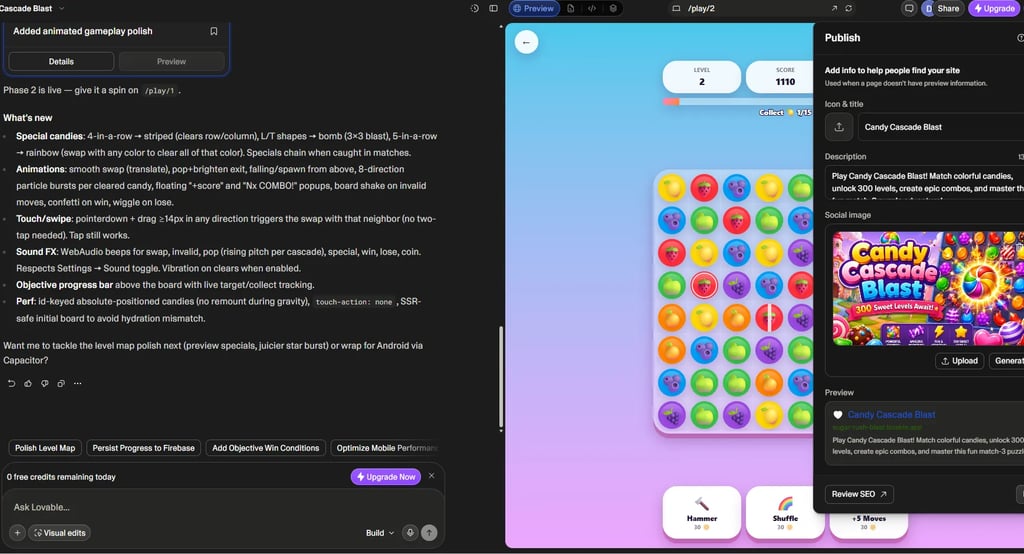
I configured:
app title
project description
social image
public deployment URL
No server setup.
No hosting configuration.
No complicated deployment pipelines.
This made the publishing process surprisingly beginner friendly.
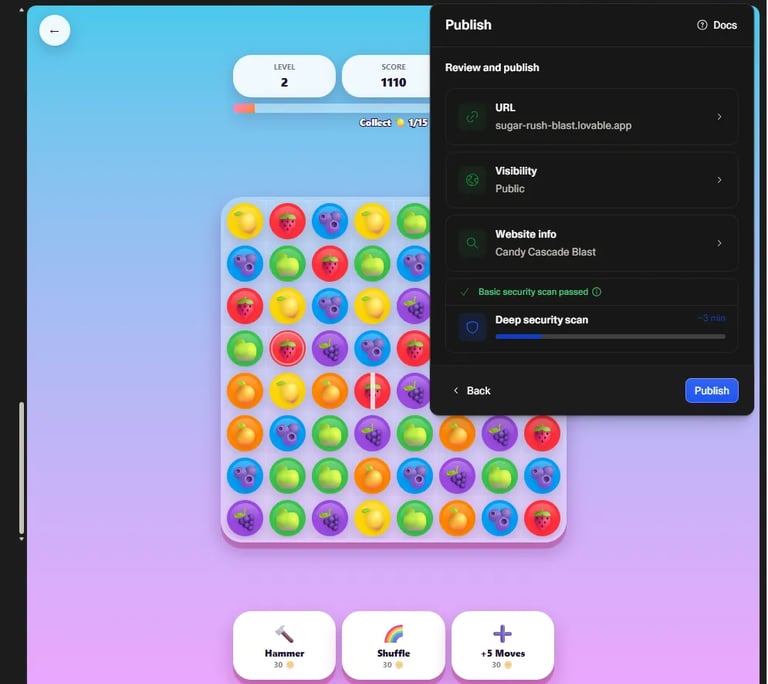
Configuring deployment settings before publishing the application.
Configuring the live public URL before launch.
Live Proof — My Published App
Many tutorials stop at screenshots.
I wanted actual proof.
After deployment, my application went live.
Final result:
Sugar Rush Blast
Live URL
https://sugar-rush-blast.lovable.app/
This matters because it demonstrates a complete workflow:
Idea → Prompt → Build → Publish
using AI.
No traditional coding required.
Live proof of the published AI-generated application.
Lovable AI vs FlutterFlow vs Bolt — Which One Is Better?
During this experiment, I also compared several popular AI app builders.
Here's my simplified breakdown.
My Personal Take
If your goal is:
Fast MVP + No Coding + Web Deployment
Lovable AI is extremely beginner friendly.
If your goal is:
Native mobile app creation
FlutterFlow may be a stronger choice.
Related AI Resources
If you enjoy exploring AI tools and no-code workflows, these articles may help.
Claude AI Review 2026
https://simplifiedaihub.com/claude-ai-review-2026
Claude vs Grok AI Simulation 2026
https://simplifiedaihub.com/claude-vs-grok-ai-simulation-2026
Freed AI Review 2026
https://simplifiedaihub.com/freed-ai-review-2026
What Is AGI? Artificial General Intelligence Explained
https://simplifiedaihub.com/what-is-agi-artificial-general-intelligence-explained
Frequently Asked Questions (FAQ)
Can You Really Make an App Without Coding Using Lovable AI?
Yes.
That was the entire purpose of this experiment.
I wanted to test whether a beginner could actually:
generate an app
configure a project
deploy publicly
avoid traditional programming
The answer?
Yes — with some important caveats.
You still need:
clear prompts
logical thinking
testing
iteration
AI removes a lot of technical friction, but good inputs still matter.
Is Lovable AI Free?
Lovable AI makes it possible to start building applications with a very beginner-friendly workflow.
Depending on current platform limitations, pricing tiers may evolve over time.
However, for rapid experimentation, MVP creation, and deployment testing, it offers one of the easiest AI app building workflows for beginners.
Can Beginners Use Lovable AI?
Absolutely.
In fact, this is one of Lovable AI’s strongest advantages.
You don't need deep knowledge of:
React
backend setup
frontend architecture
deployment workflows
The system guides much of the process through prompts and structured setup steps.
That said:
Better prompts usually produce better results.
Can You Build Games Using Lovable AI?
Yes — but expectations matter.
Good use cases:
✅ quiz apps
✅ browser games
✅ puzzle experiences
✅ scoring systems
✅ interactive applications
Very advanced native game engines may eventually require additional tools.
In my case study, I successfully created a Candy-style puzzle workflow.
Live proof:
https://sugar-rush-blast.lovable.app/
Can You Publish an App for Free Using Lovable AI?
Yes.
This was actually one of the most impressive parts of the workflow.
Publishing involved:
title setup
description
URL configuration
deployment confirmation
After completing those steps, my project became publicly accessible.
No complicated hosting setup required.
Can Lovable AI Create Android Apps?
This is a common beginner question.
Lovable primarily focuses on web application workflows.
However, there are multiple paths for mobile deployment.
Common approaches include:
Option 1 — PWA Installation
Users can install the web app from the browser.
Option 2 — Web Wrapper / Capacitor
Convert the web app into an APK workflow.
Option 3 — Native Mobile Builders
If your main goal is Android or iOS development, FlutterFlow may be worth exploring.
Additional FAQ Table
What I Learned From Building an App With AI
After finishing this experiment, several lessons became clear.
1. Prompt Quality Is Extremely Important
Weak prompt:
Build a game.
Stronger prompt:
Build a colorful mobile-friendly match-3 puzzle app with progression, responsive UI, level structure, and storage.
Specific prompts usually create better outputs.
2. MVP First Is the Best Beginner Strategy
Trying to build a massive application immediately can create unstable results.
Better workflow:
MVP → Test → Improve → Publish
This dramatically improved my experience.
3. AI Accelerates Development — But Testing Still Matters
This was one of the biggest takeaways.
AI can save enormous amounts of time.
But you should still test:
navigation
layouts
logic
responsiveness
deployment
gameplay behavior
Human validation still matters.
My Honest Verdict After Using Lovable AI
When I started this project, my goal was simple.
I wanted to know:
Can someone actually make and publish an app for free using AI?
After completing the workflow, my answer is:
Yes — surprisingly quickly.
Using Lovable AI, I was able to:
✅ create a project
✅ generate application structure
✅ build gameplay workflow
✅ configure publishing
✅ deploy publicly
without traditional coding.
Final published result:
Sugar Rush Blast
Live Proof
https://sugar-rush-blast.lovable.app/
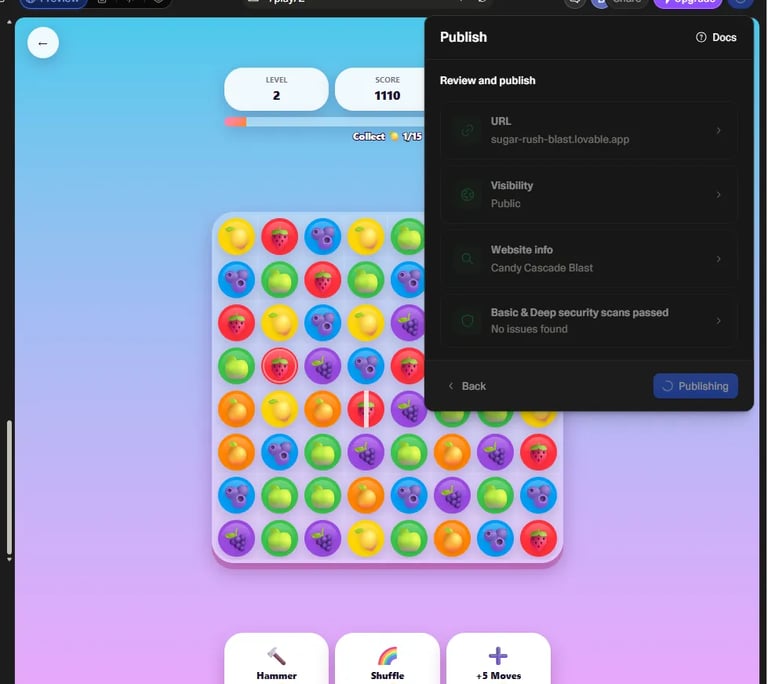
Final publishing confirmation inside Lovable AI.
The completed AI-generated application running live online.
Try My Live App
Want to see what an AI-generated beginner project looks like?
Try the live app here:
Sugar Rush Blast
https://sugar-rush-blast.lovable.app/
You can explore:
interface
gameplay structure
level workflow
AI generated deployment result
Final Thoughts — Is Lovable AI Worth Using in 2026?
If you're looking for:
✅ AI app builder
✅ no-code workflow
✅ fast MVP creation
✅ beginner-friendly deployment
Lovable AI is worth testing.
It's not magic.
It's not perfect.
But it dramatically lowers the barrier to software creation.
For creators, bloggers, indie makers, entrepreneurs, and curious beginners, that's a major shift.
Related Articles You May Like
If you're interested in AI tools, no-code development, and future technology, these resources may help.
Claude AI Review 2026
https://simplifiedaihub.com/claude-ai-review-2026
Claude vs Grok AI Simulation 2026
https://simplifiedaihub.com/claude-vs-grok-ai-simulation-2026
Freed AI Review 2026
https://simplifiedaihub.com/freed-ai-review-2026
What Is AGI? Artificial General Intelligence Explained
https://simplifiedaihub.com/what-is-agi-artificial-general-intelligence-explained