
Ideogram AI Review 2026: Create Stunning AI Images & Make Money with Text-to-Image
Ideogram AI review 2026: Create stunning AI images with text, learn best prompts, and discover how to make money using this free AI tool.
AI TOOLS
DIPJYOTI SHARMA
4/19/20266 min read
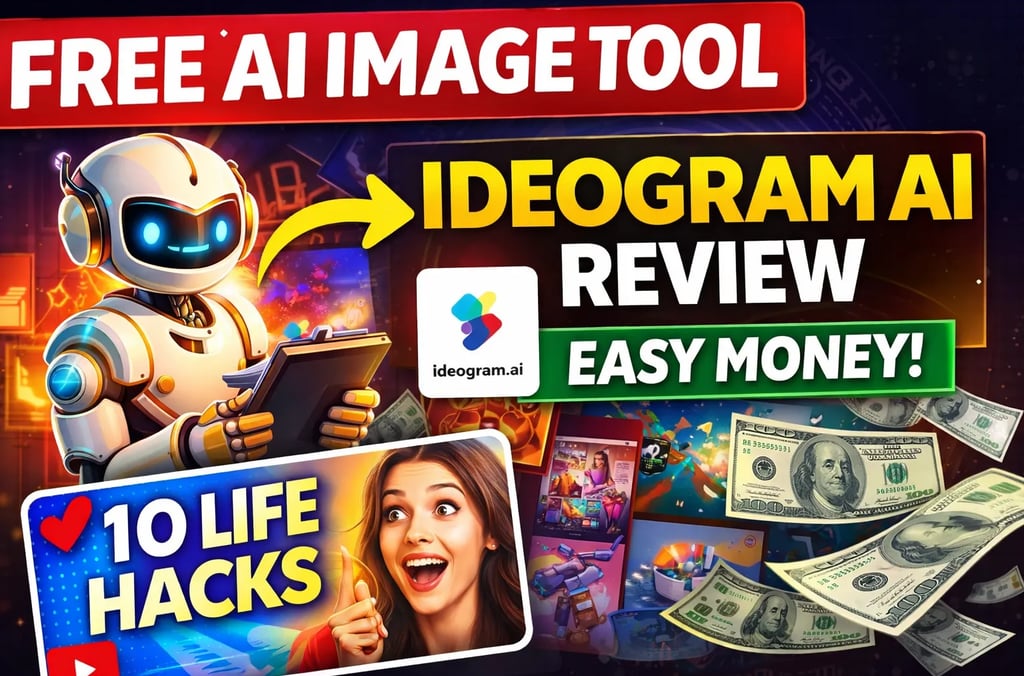

Ideogram AI Review 2026: Create Stunning AI Images & Make Money with Text-to-Image
Introduction: Why AI Images Are Everywhere (And How You Can Profit)
AI-generated images are popping up everywhere—from viral social media posts to eye-catching YouTube thumbnails and even high-converting ads. People are not just sharing them for fun; they’re actually making money with AI art, logos, and custom designs.
But with so many AI image generators out there, which one should you trust in 2026? Enter Ideogram AI—the text-to-image tool that’s making waves for its unique ability to render text within images crisply and easily.
In this Ideogram AI review, I’ll break down everything you need to know: how it works, how to use it for profit, and why it might just be the best free AI image generator of 2026. Plus, I’ll share proven strategies to monetize your creations and interlink to other top AI resources on Simplified AI Hub.
Ready to create viral visuals and start earning? Let’s dive in.
What is Ideogram AI?
Ideogram AI is a cutting-edge text-to-image AI generator designed to turn your ideas into stunning visuals with remarkable ease. Unlike many other AI image tools, Ideogram AI specializes in rendering clear, accurate text within images—something that has traditionally been a weak spot for most AI art generators.
Perfect for designers, marketers, content creators, and even beginners, Ideogram AI serves a wide range of purposes:
Creating professional logos
Designing viral social media graphics
Making eye-catching YouTube thumbnails
Producing printable T-shirt and merchandise designs
Generating Pinterest-ready pins
Its core purpose is to make high-quality, creative image generation accessible to everyone—without requiring advanced design skills.
Why is it unique? While tools like Midjourney and DALL·E have their strengths, Ideogram AI stands out for its superior text rendering and its generous free plan. This makes it especially valuable for anyone who needs to add readable text to AI-generated images—something crucial for branding and marketing.
For a broader look at the AI tool landscape in 2026, check out Simplified AI Hub’s list of underrated AI tools for business.
Key Features of Ideogram AI
Let’s break down what makes Ideogram AI a top contender in 2026:
✅ Text in Images—Finally Done Right
Most AI image generators struggle with text clarity. Not Ideogram AI. It produces images with perfectly rendered, editable text—ideal for logos, quotes, product labels, and more.
✅ Free and Generous Usage
Unlike many competitors, Ideogram AI offers a robust free plan that lets you generate a substantial number of high-quality images per day. This is a major advantage for beginners and small businesses looking to experiment without upfront costs.
✅ High-Quality Outputs
The images are crisp, vibrant, and suitable for both digital and print use. Whether you’re making a Pinterest pin or a T-shirt design, you get professional results.
✅ Simple, Intuitive Interface
You don’t need to be a designer or a tech whiz. Ideogram AI’s interface is clean and beginner-friendly, guiding you from prompt to polished image in just a few clicks.
✅ Prompt-Based Generation
Just type in your idea, choose a style, and let the AI do the rest. The prompt system is flexible, supporting everything from “modern logo for coffee shop” to “retro YouTube thumbnail with bold text.”
How to Use Ideogram AI: Step-by-Step Guide for Beginners
Let’s walk through how to create your first stunning AI image with Ideogram AI.
1. Sign Up for a Free Account
Head over to Ideogram AI’s website and create a free account. It only takes a minute.
2. Enter Your Prompt
Describe what you want in the text box. The more specific you are, the better your results. For example:
“Minimalist logo for a vegan bakery, with green and white colors, modern font.”
3. Choose Your Style
Ideogram AI offers various style options. Pick one that matches your vision—whether you want photorealistic, cartoon, abstract, or vintage vibes.
4. Generate and Review
Click “Generate.” In a few seconds, you’ll get several image options. Browse through them and pick your favorite.
5. Download or Edit
Download your image directly, or use built-in editing tools to tweak text, colors, or layout.
💡 Pro Tip: For best results, experiment with different prompts and styles. Save your favorite settings for future use!
👉 [See a step-by-step screenshot here (coming soon)] 👈
For a visual guide, check out my Ideogram AI beginner tutorial (similar workflow—apply the same steps here).
Best Prompts for Ideogram AI
Want to maximize your results? Use these high-value prompt templates for proven, viral-worthy outputs.
🔹 Logo Prompt
“Modern, sleek logo for a tech startup, blue and white, minimalist style, with the word ‘Innovate’”
🔹 YouTube Thumbnail Prompt
“Bold YouTube thumbnail for a productivity channel, bright colors, large text saying ‘10 Life Hacks’, energetic vibe”
🔹 Pinterest Pin Prompt
“Aesthetic Pinterest pin for home decor inspiration, pastel colors, ‘Cozy Bedroom Ideas’ in elegant script font”
🔹 T-shirt Design Prompt
“Funny T-shirt design for cat lovers, cartoon cat wearing sunglasses, bold text: ‘Chill Like a Cat’”
These prompts are optimized for search and conversion. Try tweaking them for your niche and watch your images stand out!
For more inspiration and prompt ideas, see Simplified AI Hub’s guide to making money with AI in 2026.
Ideogram AI vs. Other AI Image Generators (2026 Comparison)
Let’s see how Ideogram AI stacks up against the competition:
While Midjourney and DALL·E are industry giants, Ideogram AI wins for text clarity and accessibility, especially for beginners and small businesses. Canva AI is user-friendly but lacks Ideogram’s text precision.
How to Make Money with Ideogram AI in 2026
AI-generated images aren’t just for fun—they’re a real income stream. Here are actionable ways to monetize your creations using Ideogram AI:
💰 1. Sell Custom Pinterest Pins
Pinterest is a goldmine for digital products. Use Ideogram AI to create themed pin sets (e.g., motivational quotes, recipe boards) and sell them on Etsy or your own site.
💰 2. Print-on-Demand T-shirt & Merch Designs
Platforms like Printful and Redbubble let you upload unique designs and earn royalties. Ideogram AI’s text and art capabilities make it perfect for creating catchy slogans and graphics.
💰 3. Create YouTube Thumbnails & Channel Art
Many YouTubers outsource custom thumbnails. Use Ideogram AI to design attention-grabbing thumbnails and monetize via freelance gigs or digital product sales.
💰 4. Freelance on Fiverr/Upwork
Offer logo design, social media graphics, or custom art packages using Ideogram AI. Clients love fast turnaround and unique results.
💰 5. Sell Digital Products & Templates
Bundle your best Ideogram AI creations into downloadable templates—like social media calendars, quote packs, or branding kits.
For more on turning AI art into profit, see Simplified AI Hub’s AI money-making strategies for 2026.
Pros and Cons of Ideogram AI
Let’s be honest about what works—and what doesn’t.
✅ Pros
Free plan with generous daily generations
Excellent text rendering in images
Simple, beginner-friendly interface
High-resolution, print-ready outputs
Fast image generation
❌ Cons
Limited advanced editing tools (compared to Photoshop)
Not always the best for hyper-realistic or photographic images
May require prompt tweaking for complex designs
Still, for most creators and small businesses, the advantages far outweigh the limitations.
Is Ideogram AI Worth It in 2026?
Absolutely—if you’re a beginner, a content creator, or a small business owner looking for a free, easy-to-use, and text-capable AI image generator, Ideogram AI is one of the best options available.
It’s particularly valuable for anyone who needs to add clear, editable text to their designs. While it may not replace professional design software for complex projects, it’s a powerful tool for rapid, high-quality visual content creation.
For professionals or agencies needing more control, it’s still a great starting point before moving to advanced tools.
Frequently Asked Questions (FAQ)
Is Ideogram AI free?
Yes! Ideogram AI offers a generous free plan that allows you to generate a significant number of images per day, making it one of the best free AI image generators in 2026.
Is Ideogram AI better than Midjourney?
It depends on your needs. Ideogram AI excels at rendering clear, editable text in images, which Midjourney struggles with. However, Midjourney may have an edge in pure artistic or photorealistic outputs. For text-based designs, Ideogram is superior.
Can I use Ideogram AI images commercially?
Yes, you can use images generated with Ideogram AI for commercial purposes. However, always check the latest terms of service for any updates.
How do I write good prompts for Ideogram AI?
Be specific and descriptive. Include the subject, style, colors, and any text you want included. The more detail, the better the result. See the “Best Prompts” section above for proven templates.
Final Verdict
In 2026, Ideogram AI stands out as the go-to free text-to-image generator for creators, marketers, and entrepreneurs. Its unique ability to render crisp, accurate text makes it invaluable for logos, social posts, and merchandise.
If you want to create viral visuals and start earning online, Ideogram AI is a must-have tool in your arsenal.
Ready to get started?
👉 Try Ideogram AI for free here and unlock your creative potential today!
And don’t forget—combine Ideogram AI with other powerful tools to supercharge your content workflow. For blog writing, try Rytr (affiliated), or explore more AI tools in our underrated AI tools roundup.
Want more AI tips and tutorials?
Check out these related posts on Simplified AI Hub:
Make money with AI in 2026: Best tools and strategies in the USA
I tried Zorq AI for 7 days: Worth it or waste of money? 2026 review
Start creating. Start earning. The future of AI image generation is here—don’t miss out!
Related AI Tutorials (Recommended Reading)
OpenAI Full Tutorial — Beginner to Power User (2026)
Want to master OpenAI tools step-by-step? Read the complete beginner-to-advanced guide here:
➡️ https://www.asimplifiedhub.blog/2026/02/openai-full-tutorial-2026-beginner-to-power-user.html
Gemini AI Full Tutorial — Complete Beginner to Pro Guide (2026)
Explore advanced features, workflows, and practical use cases inside this full Gemini AI tutorial:
➡️ https://simplifiedaihub.com/gemini-ai-full-tutorial-2026-complete-beginner-to-pro-guide-advanced-features-explained
NotebookLM Complete Guide (2026)
Learn how to use NotebookLM for research, study, and AI-powered knowledge management:
➡️ https://www.asimplifiedhub.blog/2026/02/notebooklm-complete-guide-2026.html