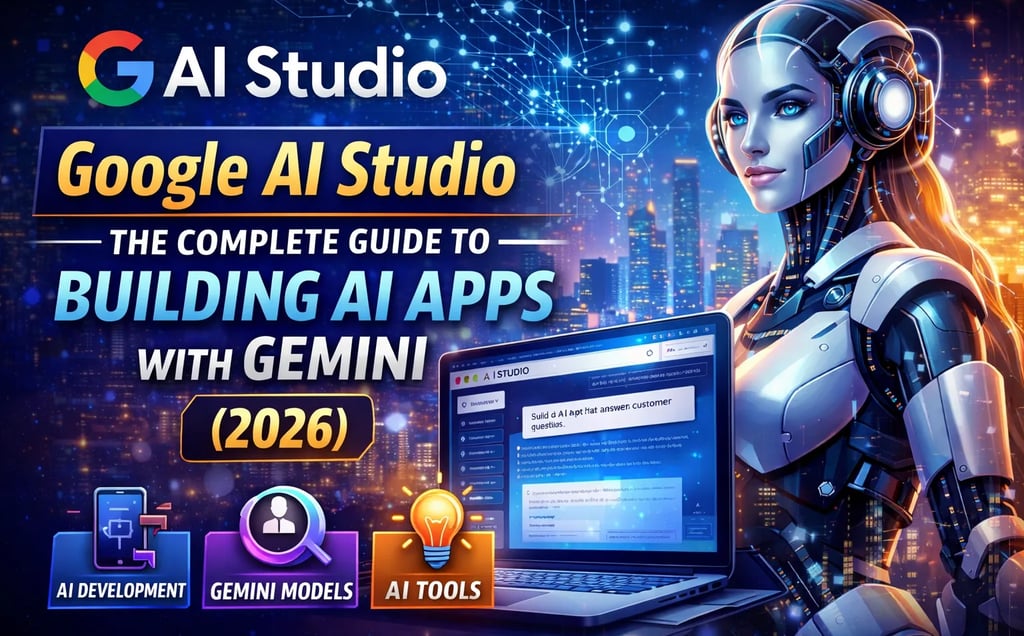
Google AI Studio: The Complete Guide to Building AI Apps with Gemini (2026)
Learn how to use Google AI Studio to build AI apps with Gemini. Complete beginner tutorial, features, use cases, and development guide for 2026.
AI TOOLSTECHNOLOGY & AI
DIPJYOTI SHARMA
3/13/20265 min read
Google AI Studio Tutorial 2026: How I Built an AI SEO App with Gemini (Beginner Guide)
Artificial intelligence is changing online business faster than ever before.
Right now, creators are building:
AI apps
SEO systems
automated workflows
AI assistants
content generation tools
without hiring developers or learning advanced coding.
That is exactly why Google AI Studio is exploding in popularity in 2026.
After testing the platform myself, I realized something important:
Google AI Studio makes AI app building much easier for beginners.
Using Gemini AI, you can:
generate SEO content
automate work
build AI tools
improve productivity
create complete workflows
all from one dashboard.
The best part?
You can start for free.
In this complete beginner-friendly tutorial, I will show you:
what Google AI Studio is
how Gemini AI works
how I built my first AI SEO app
how to improve prompts
how to automate SEO workflows
how to rank AI content in Google
This guide also includes:
real screenshots
SEO tips
internal linking strategies
beginner-friendly explanations
practical examples
Table of Contents
What Is Google AI Studio?
Why Google AI Studio Is Growing Fast
My First Impression
Exploring Gemini Playground
Building My AI SEO App
Writing Better Gemini Prompts
Creating the User Interface
Internal Linking for SEO
Generating SEO Content
Google AI Studio vs ChatGPT
SEO Tips for Ranking
Common Mistakes Beginners Make
Future of Google AI Studio
Final Thoughts
FAQs
What Is Google AI Studio?
Google AI Studio is Google’s official platform for building apps and workflows using Gemini AI models.
It allows users to:
test prompts
build AI apps
create automation systems
generate content
experiment with Gemini models
Unlike many AI development tools, Google AI Studio is designed for beginners.
You do NOT need advanced coding skills to start using it.
Why Google AI Studio Is Growing So Fast
AI tools are becoming essential for online work.
Today, creators use AI for:
blogging
SEO optimization
automation
research
YouTube scripting
marketing
productivity
Google AI Studio combines all these tools into one ecosystem.
That makes it useful for:
bloggers
freelancers
creators
affiliate marketers
businesses
students
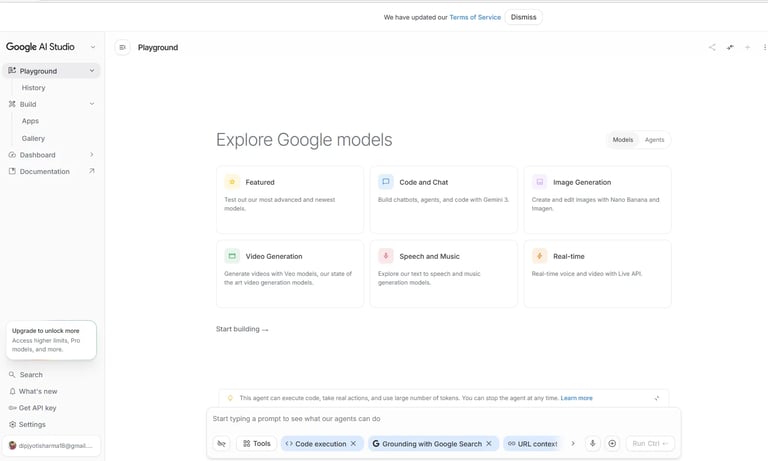
My First Impression Using Google AI Studio
The dashboard looked modern, simple, and beginner-friendly.
Inside the platform, I could access:
Playground
Build
Apps
Gemini models
Documentation
AI tools
Everything felt clean and organized.
Many AI tools feel confusing for beginners.
Google AI Studio feels much easier to understand.
Exploring the Gemini Playground
The Playground is where users can test prompts and build workflows.
Inside this section, you can experiment with:
AI chat
code generation
image creation
workflow systems
app development
This is the best place for beginners to start learning Gemini AI.
Building My First AI SEO App
To properly test Google AI Studio, I decided to build a real project.
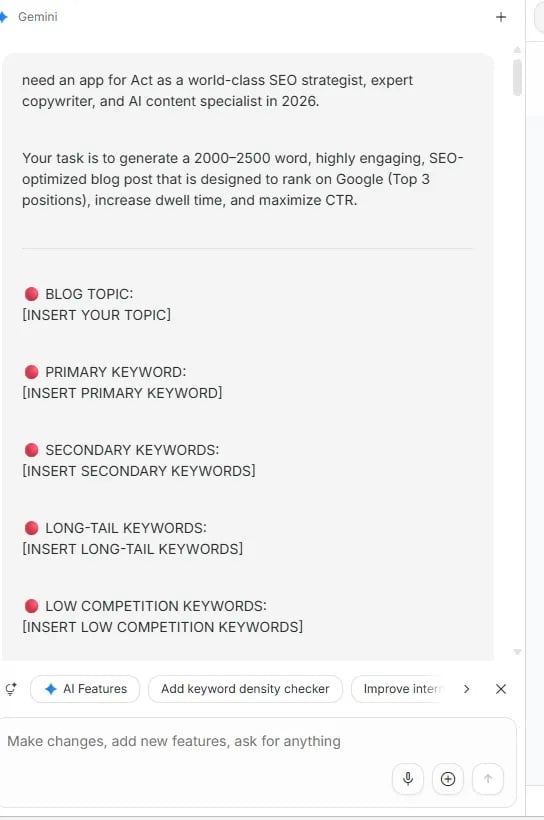
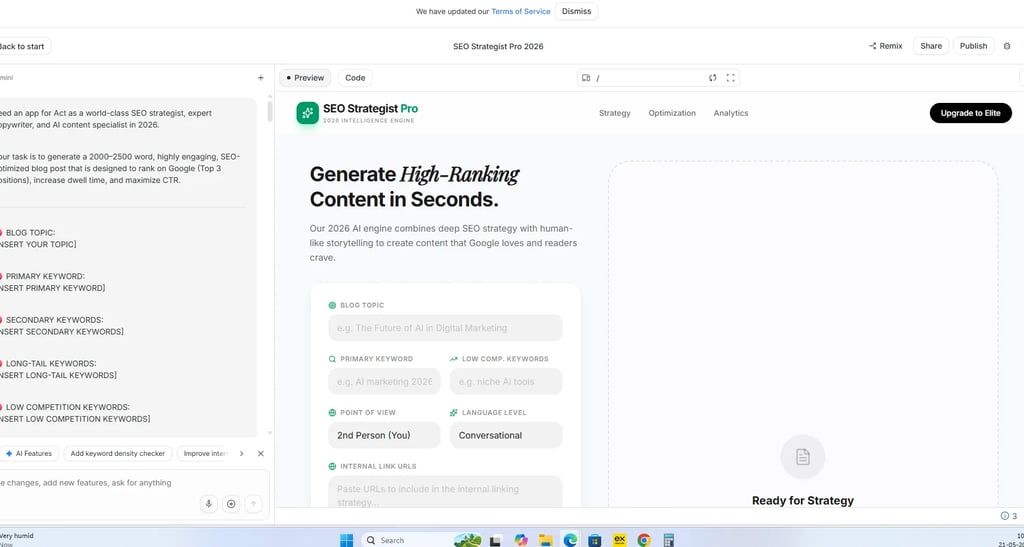
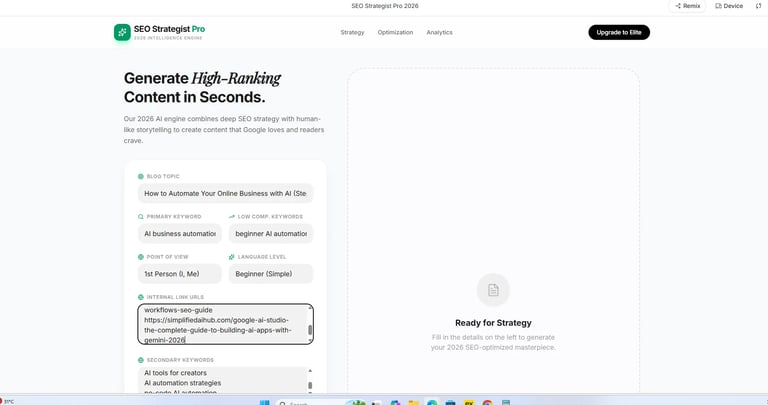
I created an AI-powered SEO workflow called:
SEO Strategist Pro 2026
The goal of the app was to:
generate SEO blog ideas
improve keyword optimization
build internal linking strategies
create beginner-friendly content
improve ranking potential
This is where Google AI Studio became really impressive.
Step 1: Writing Better Gemini Prompts
Prompt engineering is one of the most important AI skills in 2026.
A weak prompt creates weak content.
A detailed prompt creates much better results.
I instructed Gemini to act as:
an SEO strategist
AI content expert
ranking specialist
content optimization expert
This dramatically improved the output quality.
If you want to improve your prompting skills, also read:
30 ChatGPT Prompts to Skyrocket AI Productivity
Step 2: Creating the User Interface
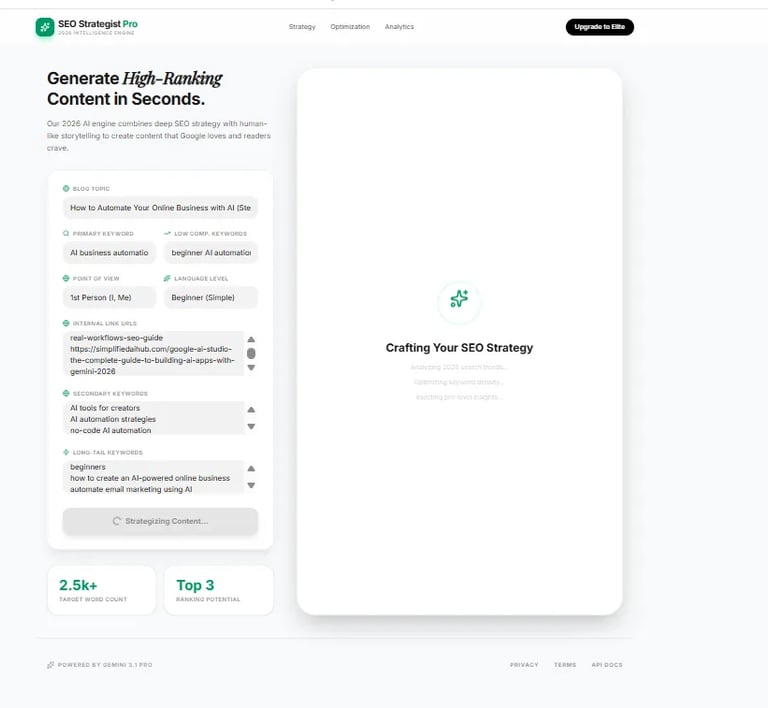
Google AI Studio helped generate a clean interface for the app.
The system included:
blog topic section
keyword optimization area
low competition keyword field
internal linking workflow
SEO strategy generator
The interface felt simple and easy to use.
Even beginners could understand the workflow.
Step 3: Adding Internal Linking for SEO
Internal linking is extremely important for rankings.
It helps:
improve SEO
increase session time
strengthen topical authority
improve crawlability
Inside the workflow, I connected related AI tutorials and resources.
This creates a stronger content ecosystem across the website.
For AI research workflows, also read:
Step 4: Generating the SEO Strategy
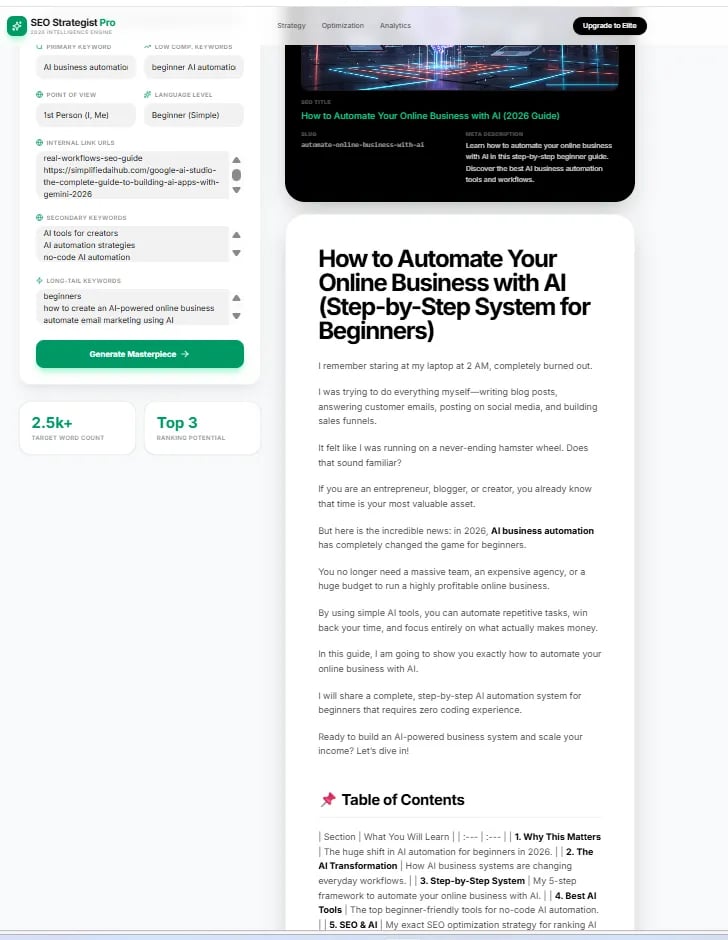
After entering the information, Gemini automatically generated the SEO strategy.
The AI analyzed:
search intent
readability
keyword opportunities
blog structure
SEO optimization
Watching the AI process everything in real time felt incredibly powerful.
Instead of manually planning every article, Gemini handled most of the work.
Step 5: Generating the Full Blog Content
Finally, the AI generated a complete SEO-optimized blog post.
The output included:
optimized headings
keyword placement
structured formatting
beginner-friendly explanations
SEO-focused writing
This is why many creators are switching to AI-powered workflows in 2026.
Why This Workflow Is Powerful
Traditional content creation takes a lot of time.
Usually, you must:
research topics
plan keywords
create outlines
write content
optimize SEO
edit formatting
AI workflows make this process dramatically faster.
That means:
better productivity
faster publishing
scalable content systems
more consistent output
Real Benefits for Bloggers
Bloggers can use Google AI Studio to:
generate article ideas
automate SEO workflows
improve productivity
build AI systems
create content faster
This is especially useful for beginner bloggers trying to grow online.
Google AI Studio vs ChatGPT
Many beginners ask:
Which platform is better?
The answer depends on your goals.
Most creators now use both together.
SEO Tips for Ranking AI Content in 2026
AI competition is growing rapidly.
To rank higher:
write naturally
use simple English
improve readability
answer real questions
optimize headings
use internal links
add screenshots
focus on helpful content
Many AI blogs fail because they sound robotic.
Human-style writing performs much better.
Common Mistakes Beginners Make
Using Weak Prompts
Short prompts usually create weak outputs.
Detailed prompts work much better.
Ignoring SEO Structure
Always use:
headings
bullet points
FAQs
short paragraphs
internal links
Publishing Thin Content
Google rewards:
detailed tutorials
practical examples
original experience
useful content
Not Using Screenshots
Screenshots improve:
trust
readability
user experience
EEAT signals
Future of Google AI Studio
Google is investing heavily into Gemini AI and workflow automation.
Future updates may include:
smarter AI agents
automation systems
multimodal AI workflows
app deployment tools
advanced integrations
Google AI Studio could become one of the biggest AI creation platforms in the world.
Final Thoughts
After testing Google AI Studio personally, I believe it is one of the best beginner-friendly AI tools available today.
It allows creators to:
build AI apps
automate workflows
improve SEO
generate content
increase productivity
without advanced coding skills.
If you want to grow online using AI in 2026, learning Google AI Studio is absolutely worth it.
Frequently Asked Questions
Is Google AI Studio free?
Yes. Google AI Studio offers free access with certain usage limits.
Can beginners use Google AI Studio?
Yes. The platform is designed to be beginner-friendly.
Can I build AI apps without coding?
Yes. Many workflows can be created using prompts and AI systems.
Is Gemini better than ChatGPT?
Both are powerful. Gemini works especially well inside Google’s ecosystem.
Can Google AI Studio generate SEO content?
Yes. It can generate:
blog posts
keyword strategies
SEO outlines
internal links
workflow systems
Is Google AI Studio good for bloggers?
Absolutely. Bloggers can use it for:
AI writing
SEO
automation
productivity
research workflows
Can Google AI Studio help with affiliate marketing?
Yes. Many affiliate marketers use AI workflows for:
keyword research
SEO content
automation
content scaling
Does Google AI Studio support image generation?
Yes. The platform includes AI image generation features for creators and marketers.
What is the best use case for beginners?
The best beginner project is usually:
AI blogging
SEO workflows
productivity systems
automation tools
Is Google AI Studio worth learning in 2026?
Yes. AI workflows and automation are becoming extremely important for online businesses and creators.
Recommended Internal Resources