
How to Build a Simple AI Workflow for Daily Productivity (Step-by-Step Guide)
Learn how to build a simple AI workflow to organize daily tasks, stay focused, and improve productivity with easy, step-by-step routines anyone can follow.
,AI FOR BEGINNERSAI TOOLSTECHNOLOGY & AI
DIPJYOTI SHARMA
2/19/20263 min read

Imagine waking up, glancing at your to-do list, and feeling that familiar knot in your stomach because the day looks crowded. Emails, reports, errands, and small personal tasks all compete for attention.
This is exactly where a simple AI workflow can help — not as something complicated, but as a quiet system that smooths the rough edges of your day.
What Is an AI Workflow?
An AI workflow is simply a series of small, repeatable steps that guide you through your daily tasks in an organized way.
Think of it like a recipe:
Gather ingredients (emails, notes, calendar)
Follow a logical order
Finish with a complete result — a smoother day
The goal isn’t perfection. It’s flow.
Step 1: Start With a Quick Brain Dump
Before opening apps or checking messages:
Grab a notebook or open a blank note
Write down everything on your mind
Examples:
Reply to Alex’s email
Buy milk
Review project outline
This clears mental clutter and gives you a clear starting point.
Step 2: Group Similar Tasks Together
Just like cooking separates chopping from boiling, your tasks should be grouped by type.
Example groups:
📧 Communication (emails, messages)
🧠 Creative work (writing, planning)
🏃 Errands (shopping, calls)
Grouping reduces mental switching and saves energy.
Step 3: Prioritize Using the Two-Minute Rule
A simple method:
If it takes under two minutes, do it immediately.
Longer tasks: label as urgent or important.
This keeps your list realistic and prevents overwhelm.
Step 4: Work in Focused Time Blocks
Set short intervals:
25 minutes focused work
5-minute break
This rhythm (often called Pomodoro) gives you:
✔ Clear starting points
✔ Natural stopping points
✔ Better concentration
When the timer rings, pause, reset, and continue with the next task.
Step 5: End-of-Day Review
Before finishing:
Check completed tasks
Move unfinished ones to tomorrow
Note progress
This small closing step creates a sense of completion and prevents forgotten tasks.
Why This Workflow Helps Beginners
Many people think productivity requires complex tools.
In reality, a simple routine works best:
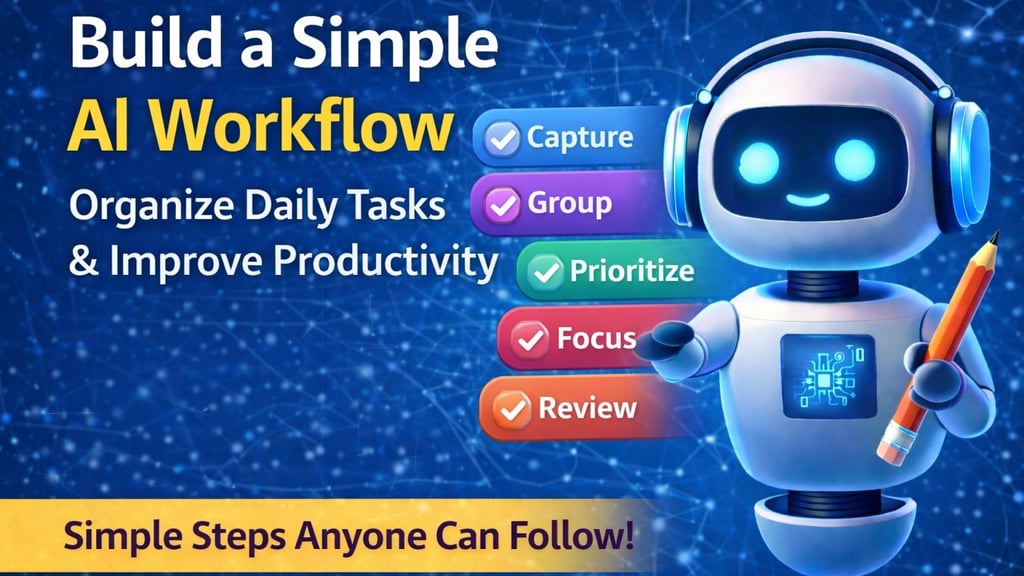
Capture
Group
Prioritize
Focus
Review
These small habits build confidence and reduce stress.
Real-Life Examples
Student Life
Group study tasks, work shifts, and hobbies into clear blocks to avoid feeling pulled in different directions.
Parents Managing Work & Home
Separate family, chores, and work responsibilities into groups so each gets focused attention.
Freelancers Managing Clients
Group work by client, prioritize deadlines, and use focus blocks for writing or editing.
Language Learning
Separate listening, reading, and speaking activities into short, structured sessions.
Home Renovation Planning
Organize tasks into measurement, ordering, and scheduling to avoid mistakes.
Common Mistakes to Avoid
Expecting the List to Do the Work
The list guides you — action still matters.
Overloading Your Day
Be realistic about how much can be done.
Skipping End-of-Day Review
This step reduces anxiety and resets your focus.
Simple Tips You Can Start Today
Keep a small notebook near your bed.
Use simple symbols:
★ urgent
✔ completed
Use your phone timer for focus sessions.
Schedule a 5-minute daily review.
Adjust tasks if they repeatedly get skipped.
Frequently Asked Questions
Do I need fixed time blocks every day?
No. Consistency matters more than strict timing.
What if I forget the morning brain dump?
Pause anytime during the day and restart — flexibility is part of the system.
Can I keep separate lists for life areas?
Yes. Just combine them during prioritization.
Does setup take too much time?
At first, a few minutes — soon it becomes automatic.
What if I don’t finish everything?
That’s normal. Move it forward and adjust tomorrow.
Final Thoughts
A simple daily AI workflow helps you move through busy days with clarity instead of chaos.
By following:
Capture
Group
Prioritize
Focus
Review
…you create a calm structure that supports productivity without overwhelm.
Start small. Adjust as you learn. Let the routine evolve naturally.
Over time, this quiet system becomes your invisible helper — making each day smoother and more manageable.
Related AI Guides (Recommended Reading)
If you want to explore more practical AI topics, check these helpful guides:
🧠 How Grammarly AI Works in 2026 — Complete Beginner Guide
Learn how Grammarly AI improves writing with smart suggestions, tone control, and AI features.
➡️ https://simplifiedaihub.com/how-grammarly-ai-works-in-2026-complete-beginner-guide-features-explained🚀 Who Is Matt Shumer? The AI Creator Everyone Is Talking About
Discover the AI entrepreneur influencing discussions around AI innovation and adoption in 2026.
➡️ https://simplifiedaihub.com/who-is-matt-shumer-the-ai-creator-everyone-is-talking-about-in-2026⚖️ AI Ethics Explained (2026): Bias, Privacy & Future Risks
Understand responsible AI, ethics, bias prevention, and the future risks shaping AI development.
➡️ https://simplifiedaihub.com/ai-ethics-explained-2026-responsible-ai-bias-privacy-and-future-risks