
How to Combine Multiple AI Tools Efficiently (Simple AI Tools Integration Guide)
Learn how to combine multiple AI tools efficiently using simple integrations. Build smooth workflows, save time, and automate daily tasks without coding.
,AI FOR BEGINNERSAI TOOLSTECHNOLOGY & AI
DIPJYOTI SHARMA
2/17/20263 min read
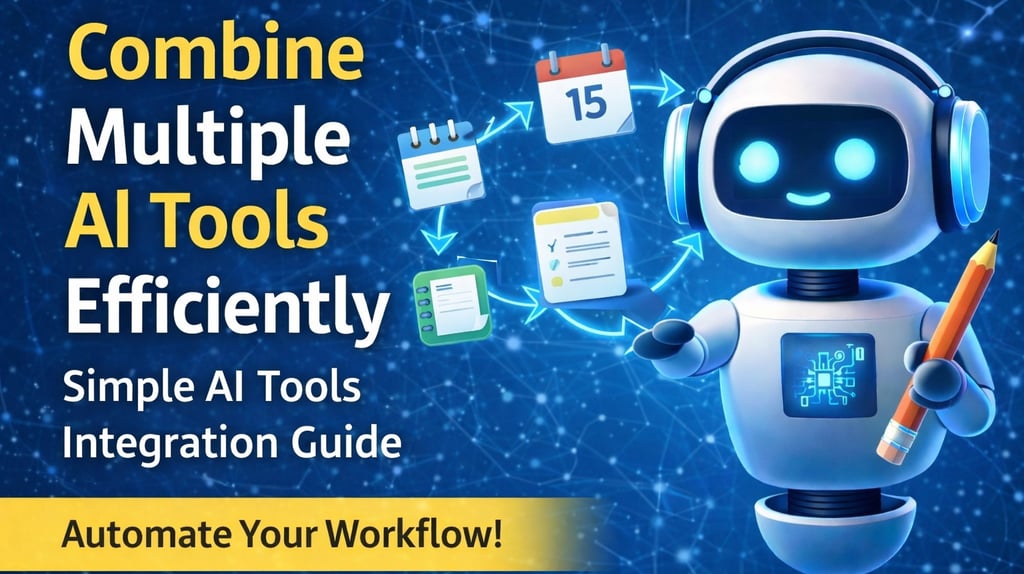
It’s easy to feel overwhelmed when you start exploring different digital helpers that promise to simplify life.
Imagine using separate apps for notes, calendar, recipes, and shopping lists. Planning a simple dinner means jumping between screens, copying information, and repeating the same steps.
There must be an easier way — and that’s where AI tools integration comes in.
AI tools integration simply means connecting several helpful apps so they work together automatically, reducing manual effort.
Understanding AI Tools Integration (Simple Explanation)
Think of a kitchen where:
The fridge tracks ingredients
The stove knows what you’re cooking
The dishwasher starts automatically when you finish
Each appliance works together smoothly.
Digital tools can work the same way.
Instead of treating each app separately, you create a workflow where the output of one becomes the input of another — without extra typing or switching screens.
Step One: Identify Repetitive Actions
Start by noticing small routines you repeat.
Example:
Write a quick note
Turn it into a reminder
Share it with someone
That’s already a simple three-step workflow.
Many apps allow you to automate this using built-in actions, shortcuts, or “if-this-then-that” rules.
Step Two: Build Your First AI Workflow Integration
A simple process looks like this:
1️⃣ Pick the starting point
Where does your information begin? (Notes app, email, etc.)
2️⃣ Choose the destination
What should happen next? (Reminder, calendar event, message)
3️⃣ Create a simple rule
Example:
When I create a note with this tag → create a reminder automatically.
Once set up, every new note follows the same path.
Expanding Your Workflow
After one chain works, add more steps.
Example:
Note → Reminder → Calendar Event
Now one action creates three results automatically.
This is the core idea behind AI workflow integration — small steps connected into one smooth flow.
Why Integration Matters for Beginners
Connecting tools helps because:
✔ Less mental clutter
✔ No more wondering where information lives
✔ Builds confidence with automation
✔ Saves time daily
Most integrations use simple no-code options, meaning you only click buttons and select actions — no programming required.
Real-Life Examples of AI Tool Integration
Grocery Reminders
Add “milk” to your shopping list → automatically trigger a reminder notification.
Sharing Interesting Articles
Save a photo → extract text automatically → send a message to a friend.
Habit Tracking
Mark a dog walk as done → automatically create a journal entry.
Each example starts with one action and finishes with multiple helpful results.
Common Beginner Mistakes
Using Too Many Apps
Often one app can handle multiple tasks.
Expecting Perfect Automation Immediately
Small adjustments are normal.
Poor Rule Naming
Use clear names like:
“Note-to-Reminder”
Over-Automating Too Fast
Start with one or two workflows first.
How to Start Today (Step-by-Step)
Write down one routine you repeat often.
Open the app where that routine begins.
Look for “Automation,” “Actions,” or “Shortcuts.”
Create a simple rule.
Test once.
Adjust and improve.
Small wins build confidence quickly.
Building Your AI Productivity Stack
As you grow comfortable, you’ll build a small AI tool stack — a set of connected tools that:
Share information automatically
Reduce duplicate work
Feel like one assistant instead of many apps
Over time, this becomes a personal productivity system.
Frequently Asked Questions
Can I combine more than two steps?
Yes. Most apps allow multiple actions in one workflow.
Do integrations need internet?
Some actions work offline, but syncing and messaging usually need internet access.
Can I delete automation rules?
Yes — simply disable or remove them from the automation section.
Will many rules slow my phone?
Simple rules usually have minimal impact.
Is there a limit?
Free versions often allow dozens of rules, which is enough for most users.
Final Thoughts
Integrating AI tools is like arranging kitchen tools so they work together naturally.
Start small:
One routine
One rule
One automation
Each new connection removes friction from your daily life.
With time, you’ll build an integrated AI workflow that quietly handles repetitive tasks while you focus on what matters most.
In upcoming guides, we’ll explore how to expand workflows, keep them organized, and optimize your AI ecosystem for maximum efficiency.
Happy connecting.
Related AI Guides (Recommended Reading)
If you want to explore more practical AI topics, check these helpful guides:
🧠 How Grammarly AI Works in 2026 — Complete Beginner Guide
Learn how Grammarly AI improves writing with smart suggestions, tone control, and AI features.
➡️ https://simplifiedaihub.com/how-grammarly-ai-works-in-2026-complete-beginner-guide-features-explained🚀 Who Is Matt Shumer? The AI Creator Everyone Is Talking About
Discover the AI entrepreneur influencing discussions around AI innovation and adoption in 2026.
➡️ https://simplifiedaihub.com/who-is-matt-shumer-the-ai-creator-everyone-is-talking-about-in-2026⚖️ AI Ethics Explained (2026): Bias, Privacy & Future Risks
Understand responsible AI, ethics, bias prevention, and the future risks shaping AI development.
➡️ https://simplifiedaihub.com/ai-ethics-explained-2026-responsible-ai-bias-privacy-and-future-risks