Top 10 Teaching AI Platforms for 2026: Save Time on Lesson Planning & Grading
Discover the top 10 AI tools for teachers in 2026 to save time on lesson planning, grading, and classroom engagement. Teach smarter with AI.
,AI FOR BEGINNERSTECHNOLOGY & AIONLINE EARNING & AI TOOLS
DIPJYOTI SHARMA
2/14/20263 min read
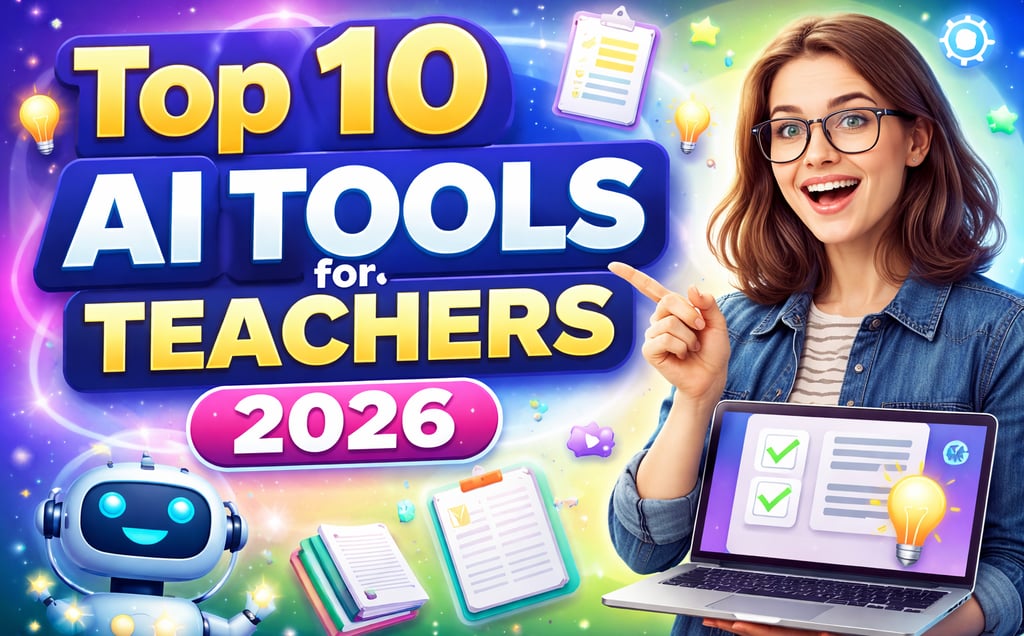
As education evolves in 2026, teacher workloads continue to grow — but so do the solutions. Educator AI assistants and classroom automation tools are transforming how teachers plan lessons, grade assignments, and engage students.
For educators searching for the best AI tools for teachers 2026, classroom AI tools that streamline admin, or AI tools for lesson planning and grading, this guide is your roadmap to reclaiming time and boosting effectiveness.
Whether you’re a classroom teacher, a department head, or a school administrator, this post will show you the most impactful teaching AI platforms, compare their features, and provide real-world examples of how these tools are already changing education.
Quick Summary
Problem: Teachers spend too much time on admin, not enough on teaching.
Solution: Educator AI assistants automate lesson planning, grading, and engagement.
Key Tools: AllenAI, Gradescope, Kahoot! AI, Turnitin AI, MagicSchool AI, Curipod, QuillBot, ClassPoint, Diffit, Otter.ai.
Benefits: Save hours per week, personalize learning, and focus on students.
Ready to try? Share your favorite AI tool in the comments below!
Why Are Educator AI Assistants Essential in 2026?
According to recent surveys, 68% of teachers in the United States report spending more than 10 hours per week on grading and administrative tasks alone. With teacher shortages and rising expectations, this workload is unsustainable.
Classroom automation tools and AI teaching platforms are now practical necessities. In 2026, teachers use AI to:
Automate repetitive work (grading, planning)
Personalize learning for diverse needs
Track performance in real time
Communicate efficiently with parents and colleagues
Let’s explore the top teaching AI platforms making a real difference.
How AI Tools Are Transforming Teaching
AI supports educators across six key areas:
Lesson Planning Automation
Efficient Grading
Student Engagement
Differentiated Instruction
Communication & Documentation
Data-Driven Insights
Top 10 Teaching AI Platforms for 2026
1. AllenAI (Olmo) — Free Open-Source Lesson Planning Powerhouse
Best For: Lesson planning, feedback, differentiation
Free Plan: Yes (open-source)
Difficulty: Beginner-friendly
Key Features
AI-powered lesson generation
Differentiated materials
Automated feedback
Privacy-focused design
Community support
Real-World Example
Create a complete week-long unit with objectives, activities, and assessments in minutes.
2. Gradescope — Gold Standard for AI Grading
Best For: Assignment and exam grading
Free Plan: Limited
Difficulty: Moderate
Key Features
AI auto-grading
Custom rubrics
Analytics & insights
LMS integration
Real-World Example
Auto-score math assignments while focusing teacher energy on deeper feedback.
3. Kahoot! with AI — Interactive & Adaptive Quizzing
Best For: Engagement and formative assessment
Free Plan: Yes (basic)
Difficulty: Very easy
Key Features
AI quiz generation
Adaptive learning paths
Live polling & word clouds
Automated reports
4. Turnitin AI — Academic Integrity + Writing Support
Best For: Writing feedback and plagiarism checking
Free Plan: No
Key Features
AI feedback studio
Contextual plagiarism detection
Citation generator
Writing tutor
5. MagicSchool AI — Swiss Army Knife for Educators
Best For: Lesson planning, IEPs, communication
Free Plan: Yes (core features)
Key Features
Standards-aligned lessons
IEP and 504 support
Parent communication templates
Resource curation
6. Curipod — Interactive AI Lessons
Best For: Engagement and collaboration
Free Plan: Yes (limited)
Key Features
AI slide generator
Real-time collaboration
Automatic resource embedding
Analytics dashboard
7. QuillBot for Education — Writing Assistant
Best For: Writing improvement and research support
Free Plan: Yes (limited daily queries)
Key Features
AI writing coach
Paraphrasing tool
Grammar checker
Citation generator
8. ClassPoint — AI-Enhanced Slide Teaching
Best For: Interactive presentations
Free Plan: Limited
Key Features
AI quiz generation from slides
Live polling
Analytics dashboard
Gamification tools
9. Diffit — AI Text Simplification
Best For: Inclusive classrooms
Free Plan: Yes (limited students)
Key Features
AI text simplification
Lexile matching
Comprehension questions
Progress tracking
10. Otter.ai — AI Transcription for Education
Best For: Meetings and documentation
Free Plan: Limited minutes
Key Features
Real-time transcription
Speaker identification
Action-item extraction
Accessibility support
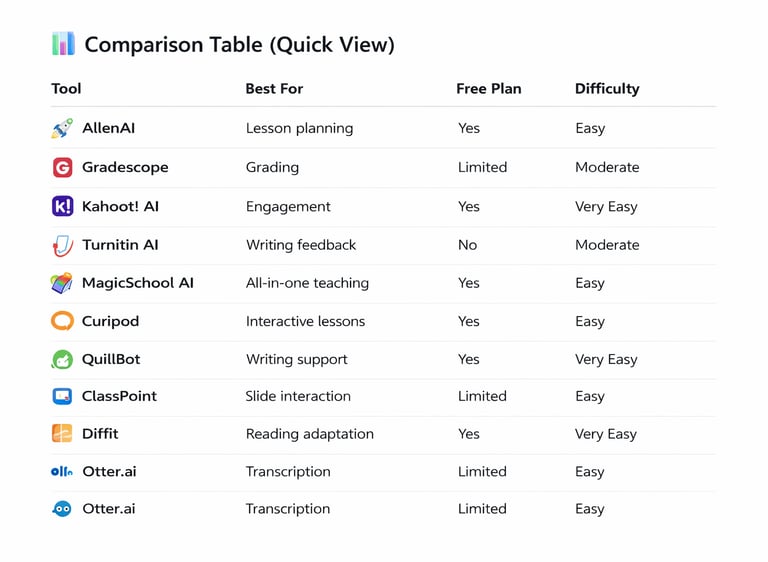
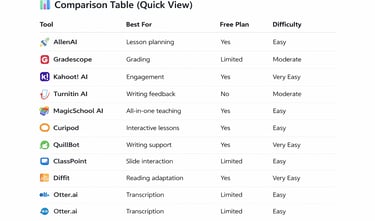
Comparison Table (Quick View)
Free AI Tools for Teachers
Great starting options:
AllenAI (open-source)
QuillBot
Diffit
Kahoot!
MagicSchool AI
Start with free tiers before upgrading.
Real Classroom Use Cases
Teachers report major time savings:
Science teachers using AI for differentiated lessons
English teachers speeding writing feedback
Special education teachers adapting content faster
STEM instructors creating adaptive quizzes
Key Features to Look For
Aligns with your needs
Easy to use
Integration with existing tools
Privacy and security
Cost and scalability
Support/community
Accessibility
Addressing Common Questions
Will AI replace teachers?
No — it supports teaching by reducing repetitive tasks.
Is student data safe?
Check privacy policies and compliance before use.
Can AI help with inclusion?
Yes — tools like Diffit and MagicSchool AI excel here.
How to Get Started
Identify your biggest pain point
Choose 1–2 free tools
Pilot with one class
Gather feedback
Scale gradually
Stay updated
The Future of AI in Education
Deeper personalization
Predictive analytics
Multimodal AI support
Collaborative lesson creation
Improved accessibility
Final Thoughts
In 2026, the most impactful teachers use educator AI assistants to automate the routine and amplify the human side of teaching.
The best AI teaching platforms don’t replace teachers — they help teachers focus on what matters most: students.
Related Guides You May Also Find Useful
If you’re exploring how AI is transforming education and productivity, these related guides will help you go deeper:
Learn how to write clearer and more effective prompts with this complete guide to prompt engineering — ideal for teachers who want better AI results without trial and error.
➜ Prompt Engineering: The Ultimate Guide to Writing Effective AI Prompts in 2026Want to improve productivity beyond the classroom? Discover practical tools professionals are using to save time and automate daily workflows.
➜ 7 AI Tools for Remote Work That Boost Productivity in 2026New to AI? Start here to understand how to choose the right AI tool for learning, research, and daily work — perfect for beginners and educators starting their AI journey.
➜ AI for Beginners: How to Choose the Right Tool for Learning and Research