How to Use Vheer AI in 2026 (Beginner Guide + Earn Online with AI)
Learn how to use Vheer AI in 2026 to create images, videos, and content. Step-by-step guide with prompts, tools, and earning ideas.
AI TOOLS
DIPJYOTI SHARMA
3/28/20264 min read
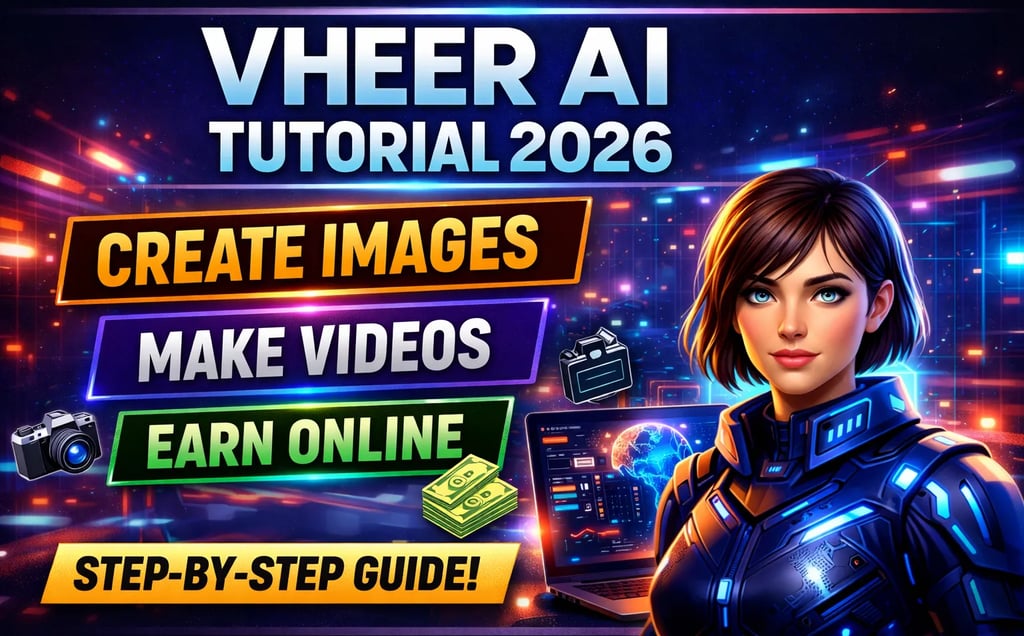
Vheer AI Tutorial 2026: Complete Beginner Guide
AI tools are changing content creation faster than ever, and one platform getting huge attention in 2026 is Vheer AI.
From cinematic AI images to text-to-video generation, Vheer AI helps creators generate professional content in minutes. Whether you are a blogger, YouTuber, designer, marketer, or beginner creator, this tool is designed to make AI generation simple.
In this tutorial, you will learn:
What Vheer AI is
How to use text-to-image
How to create AI videos
Best prompts for better results
Pricing plans
Creator tips
Pros and cons
FAQs
Comparison with other AI tools
This guide is written in very simple English so beginners can follow easily.
Table of Contents
What is Vheer AI?
Vheer AI Pricing
Main Features
How to Use Text-to-Image
Best AI Prompts
How to Use Text-to-Video
Vheer AI vs Other AI Tools
Pros and Cons
Advanced Creator Tips
FAQs
Additional FAQs
Final Verdict
What is Vheer AI?
Vheer AI is an all-in-one AI content generation platform that allows users to create:
AI images
AI videos
Animated visuals
AI portraits
Image-to-video content
Background removal
Prompt enhancement
The platform is becoming popular because it is:
beginner friendly
fast
affordable
simple to use
packed with multiple AI tools
Unlike many complicated AI platforms, Vheer AI focuses on simplicity while still delivering cinematic-quality output.
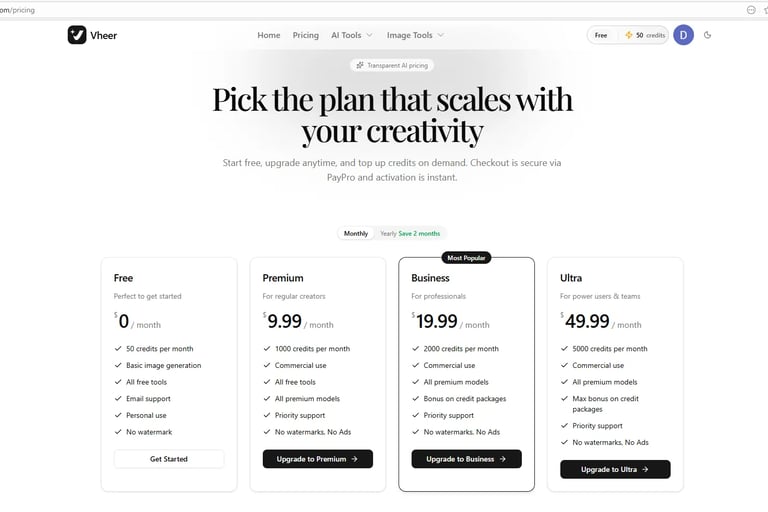
Vheer AI Pricing (2026)
Vheer AI offers both free and premium plans for different types of users.
The free plan is good for testing the platform, while paid plans are better for creators who generate content regularly.
Vheer AI pricing page showing Free, Premium, Business, and Ultra plans.
Main Features of Vheer AI
Vheer AI includes several useful AI tools inside one dashboard.
Some of the most popular features are:
Text-to-image generation
Text-to-video generation
Image-to-video animation
Prompt enhancement
Background remover
AI portrait tools
Multi-image generation
The interface is simple and easy to understand even for beginners.
How to Use Vheer AI Text-to-Image
Creating AI images with Vheer AI is very easy.
Step 1: Open the Text-to-Image Tool
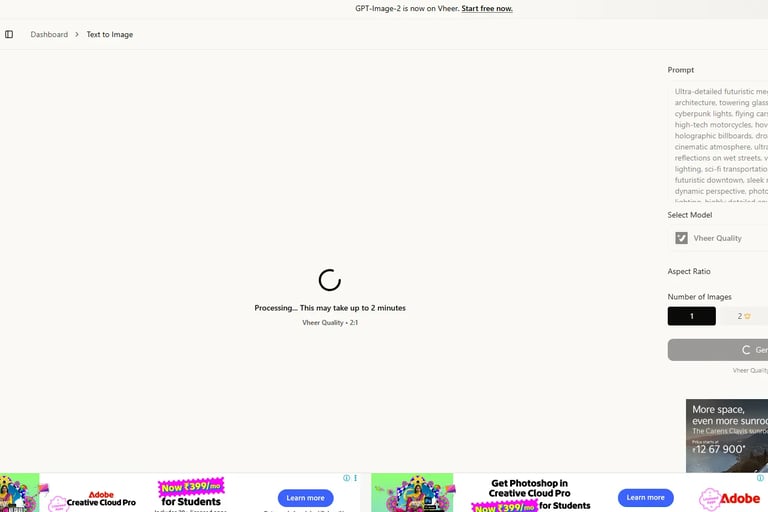
From the left sidebar:
Click “Text to Image”
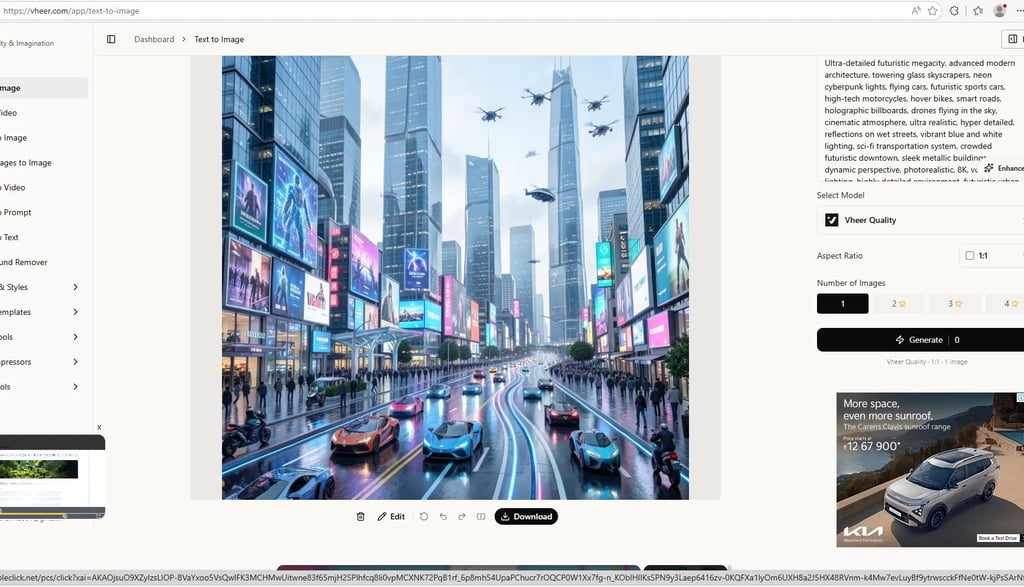
You will see the generation dashboard where prompts can be entered.
Vheer AI text-to-image dashboard with futuristic city prompt settings.
Step 2: Enter Your Prompt
Example prompt:
Ultra-detailed futuristic megacity, neon cyberpunk lights, flying cars, cinematic atmosphere, photorealistic, 8K
The more detailed your prompt is, the better the generated image becomes.
Step 3: Choose Settings
Select:
AI model
Aspect ratio
Number of images
For YouTube thumbnails, use 16:9.
For Instagram or Facebook posts, use 1:1.
For Pinterest pins, use vertical ratios.
Step 4: Generate the Image
Click the Generate button.
The AI will start processing your image automatically.
Generation usually takes a few seconds depending on the model and settings.
AI Generated Output Example
Below is an example generated using the futuristic city prompt.
AI-generated futuristic city created using Vheer AI text-to-image tool.
Best Vheer AI Prompts
Using detailed prompts improves output quality massively.
Cinematic Prompt
Ultra realistic futuristic city at night, neon lights, rain reflections, flying cars, cinematic atmosphere, photorealistic 8K
Anime Prompt
Anime warrior standing in cyberpunk Tokyo, glowing sword, cinematic lighting, ultra detailed
Fantasy Prompt
Ancient magical kingdom in the clouds, dragons flying, cinematic fantasy atmosphere
YouTube Thumbnail Prompt
Dramatic YouTube thumbnail style, glowing text, shocked expression, cinematic background
How to Use Vheer AI Text-to-Video
Vheer AI also allows users to generate AI videos from text prompts.
This feature is useful for:
YouTube Shorts
TikTok videos
AI cinematic clips
social media content
Step 1: Open Text-to-Video
From the sidebar:
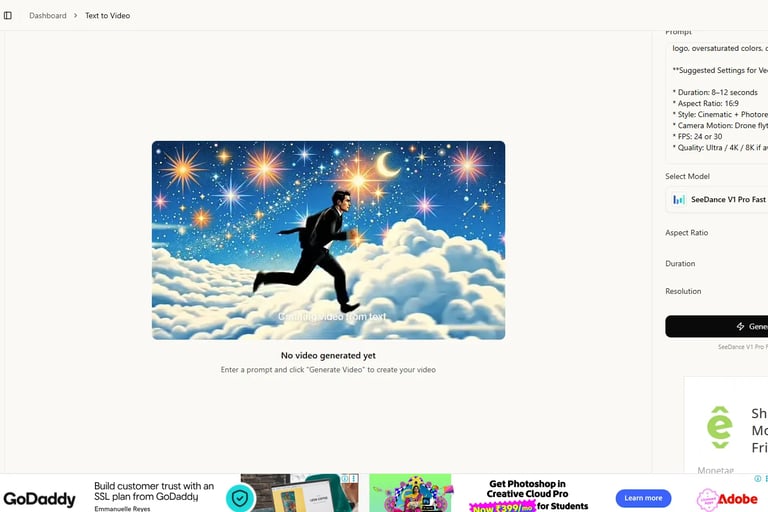
Click “Text to Video”
Vheer AI text-to-video generation interface with cinematic settings.
Step 2: Enter Video Prompt
Example:
A businessman running through magical clouds under a glowing cosmic sky, cinematic camera movement, ultra realistic
Step 3: Choose Settings
Recommended settings:
Duration: 8–12 seconds
Aspect Ratio: 16:9
Style: Cinematic
FPS: 24 or 30
Resolution: 4K if available
Step 4: Generate Video
Click:
Generate Video
The AI will start rendering your cinematic video automatically.
Vheer AI vs Other AI Tools
Vheer AI stands out mainly because of its simplicity and beginner-friendly workflow.
Pros and Cons
Pros
Easy to use
Fast image generation
Good cinematic output
Beginner friendly
Affordable pricing
Multiple AI tools in one dashboard
Cons
Free credits finish quickly
Some video generations can be slow
Ads appear on free plan
Advanced editing features are limited
Advanced Creator Tips
Use Detailed Prompts
Short prompts give average results.
Detailed prompts create:
better lighting
realistic textures
cinematic scenes
improved composition
Use Correct Aspect Ratios
Different platforms require different image sizes.
Examples:
YouTube → 16:9
Instagram → 1:1
Pinterest → vertical
TikTok → 9:16
Use Prompt Enhancement
Vheer AI includes an Enhance option that improves prompts automatically.
This is extremely useful for beginners who struggle with prompt writing.
Create Multiple Variations
Instead of generating one image, create multiple variations and select the best one.
This improves final content quality significantly.
Who Should Use Vheer AI?
Vheer AI is ideal for:
bloggers
YouTubers
Pinterest creators
social media marketers
designers
AI enthusiasts
beginner creators
If you regularly create visual content online, this platform can save a huge amount of time.
Internal Links
You can internally link this article with:
https://simplifiedaihub.com/napkin-ai-review-2026-best-ai-infographic-generator
https://simplifiedaihub.com/notebooklm-tutorial-2026-how-to-use-it-like-a-pro-second-brain-method
https://simplifiedaihub.com/30-chatgpt-prompts-to-skyrocket-ai-productivity
https://simplifiedaihub.com/pizza-hut-dragontail-ai-lawsuit-explained
FAQs
Is Vheer AI free?
Yes. Vheer AI offers a free plan with limited monthly credits.
Can Vheer AI create AI videos?
Yes. The platform supports text-to-video generation.
Does Vheer AI remove watermarks?
Paid plans generally provide watermark-free exports.
Is Vheer AI beginner friendly?
Yes. The interface is designed for beginners and content creators.
Which is better: Vheer AI or Runway?
Vheer AI is easier for beginners, while Runway is better for advanced editing workflows.
Additional FAQs
Can I use Vheer AI for commercial projects?
Yes, commercial use is available on premium plans.
Does Vheer AI support anime-style generation?
Yes. Anime prompts work very well on the platform.
Can Vheer AI generate cinematic images?
Yes. Cinematic prompts are one of the platform’s strongest areas.
Is Vheer AI good for YouTube thumbnails?
Absolutely. Many creators use it for thumbnails and social media visuals.
How many credits do AI videos use?
Video generation usually consumes more credits than image generation.
Final Verdict
Vheer AI is one of the best beginner-friendly AI creation tools available in 2026.
The platform combines:
AI image generation
AI video generation
prompt enhancement
creative automation
inside one simple dashboard.
Its biggest strength is simplicity. Even users with no AI experience can generate impressive cinematic visuals within minutes.
If you are a:
creator
blogger
YouTuber
marketer
designer
then Vheer AI is definitely worth trying.
Overall Rating: 10/10 for beginners and creators in 2026.